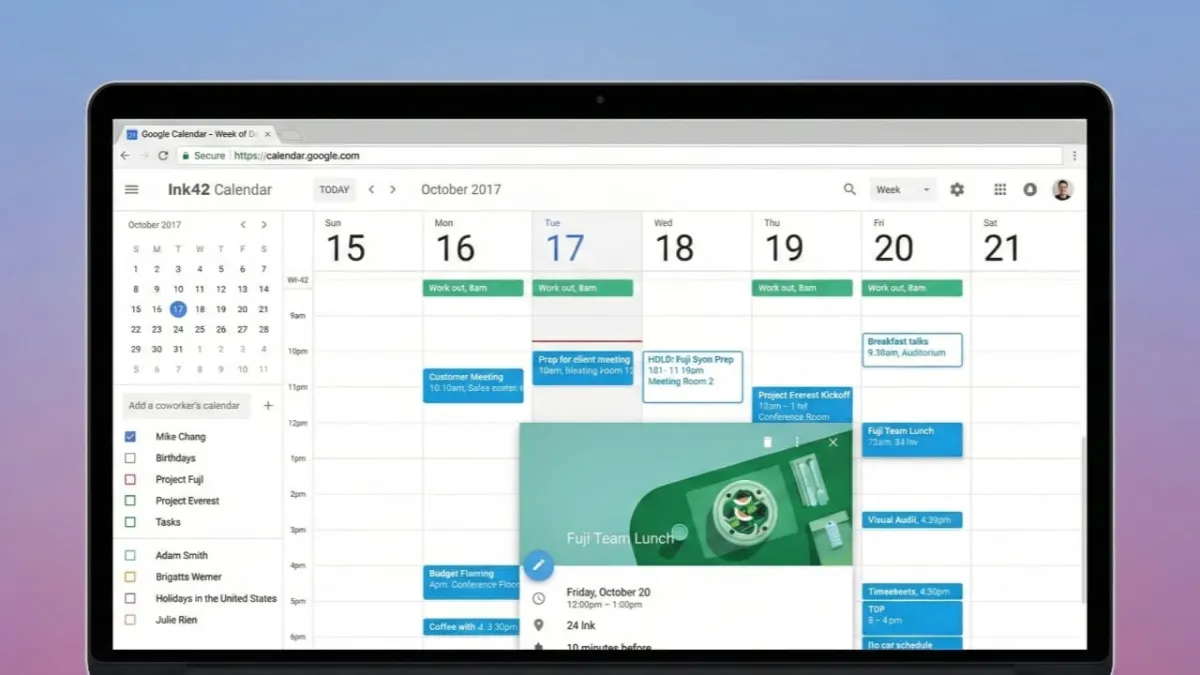
Planning your day does not have to feel complicated. Google Calendar offers several smart tools that make scheduling clear, simple, and stress-free. Whether you are managing office work, family time, or personal goals, these features help you stay organised without extra effort.
Advertisements
This guide explains how to use Google Calendar’s smart features in an easy, beginner-friendly way. Everything is written in plain English so anyone can follow along.
Also read: Raise High Volume App: A Simple Way to Increase Phone Sound Safely
Getting Started with Google Calendar Smart Features
Using Google Calendar starts with a basic setup. Think of it as an online diary that shows your plans by day, week, or month. You only need a Google account to begin. If you already use Gmail, Google Calendar is ready for you.
Before adding events, take a moment to review your settings. Make sure your time zone is correct, set your working hours, and check that the app is syncing properly across your phone, tablet, and computer. This helps prevent missed or incorrect events.
One useful feature is the ability to create multiple calendars. You can keep work, personal life, fitness, travel, or family plans separate. Even though they are different calendars, you can view them together whenever needed. If some events are private, you can hide their details to keep sensitive information secure, especially when sharing calendars.
You can also change how your calendar looks. If the default layout does not suit your routine, you can customise it. For example, if you work fewer days a week, you can adjust the view to match your schedule.
Sharing is another helpful option. You can allow coworkers, assistants, or family members to see your calendar or help manage it. If others share their calendars with you, planning meetings becomes faster and avoids clashes.
Using Smart Features for Easy Meeting Planning
Google Calendar makes meeting planning much simpler. The “Find a Time” option checks everyone’s availability and suggests slots that work for all participants. This saves time and reduces back-and-forth messages.
If you work with people in different countries, the world clock feature is very useful. It shows multiple time zones so you can schedule meetings without confusion.
Each meeting event can include all important details in one place. You can add the meeting location, video call links, and notes so attendees know exactly what to expect. Appointment slots allow others to book time with you based on your availability, which is great for calls, interviews, or consultations.
Reminders help you stay on track. You can choose how early you want to be notified, whether minutes, hours, or days in advance. Daily summary emails can also be turned on to give you a quick overview of your schedule every morning.
For faster navigation, keyboard shortcuts save time on desktop. You can also stretch events across multiple days by dragging them instead of editing each date manually.
Boosting Productivity with Google Calendar
Google Calendar is not just for appointments. It can also help you work more efficiently. Colour-coding events makes it easy to spot different types of activities at a glance. Using separate calendars keeps your work and personal life clearly organised.
Repeating events are perfect for routines like weekly meetings or monthly reminders. You set them once, and they appear automatically. The built-in task list lets you keep your to-do items close to your schedule, so nothing gets forgotten.
You can attach files directly to events, making important documents easy to find later. Some tools and add-ons can connect your calendar with other apps you already use, helping everything work together smoothly. If needed, you can even display your calendar on a website.
Holiday calendars can be added based on your country or personal preferences. Voice commands through Google Assistant also make it easy to check your schedule or add events without typing.
Also read: Add a Stylish Edge Glow Border Light to Your Phone Screen
Final Thoughts
Once you understand how these features work, using Google Calendar becomes very simple. Its smart tools help you plan clearly, stay focused, and manage time better. Everything from meetings to daily tasks can be handled in one place.
With regular use, Google Calendar becomes more than just a scheduling app. It turns into a reliable system that supports a balanced, organised, and productive daily life.

Abhi Rajput, founder of EarnAbhi.in, is a tech lover with 6+ years of experience in SEO, digital tools, and smartphone troubleshooting. He writes simple, clear, and useful guides to help people solve real tech problems.
Advertisements