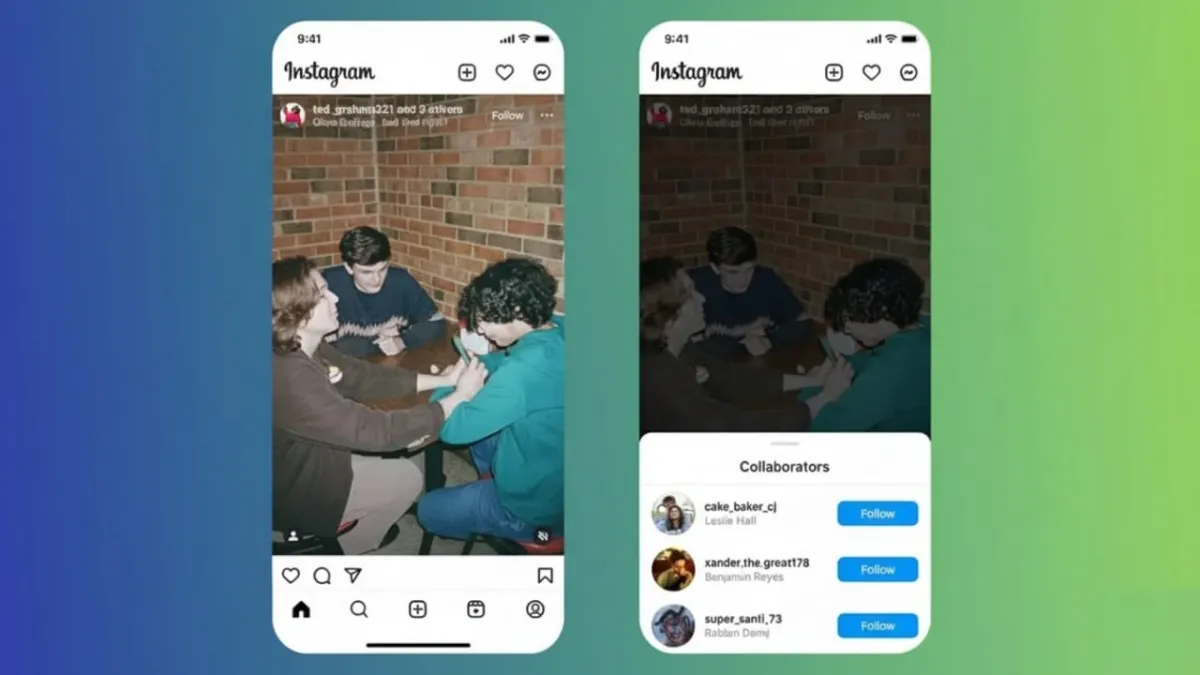
Instagram’s collaborative posts feature makes it easy for two people to share a single post. Instead of posting the same content twice, both users appear as co-authors on one post. This simple tool helps creators reach more people, grow engagement, and save time.
Advertisements
It is useful for content creators, brands, influencers, businesses, and even regular users who want to post shared moments together.
Also read: How to Add Voice Notes to Instagram Stories: A Simple Beginner-Friendly Guide
What Are Instagram Collaborative Posts?
Collaborative posts allow two Instagram accounts to publish one feed post or Reel together. Instagram introduced this feature in 2021 to support easy partnerships and joint content.
Only one collaborator can be added to a post. The person creating the post must have a public account to send the invite. The invited collaborator can be using either a public or private account.
Once the invitation is accepted, the post appears on both profiles at the same time.
How Collaborative Posts Increase Reach
When a post is shared as a collaboration, it is shown to followers of both accounts. All likes, comments, views, saves, and shares are counted together on one post.
This means creators can reach new audiences without running ads or creating extra content. It also helps content perform better because engagement is combined instead of split across separate posts.
How to Send a Collaboration Invite
Sending a collaboration invite is simple:
- Create a feed post or Reel as usual.
- Before publishing, tap “Tag People.”
- Select “Invite Collaborator.”
(This option is available only for public accounts.) - Search for the collaborator’s username and select it.
- Add your caption and publish the post.
After posting, the invited person receives a direct message notification.
How the Collaborator Accepts the Invite
The collaborator opens the message and taps “View Invite.”
They then review the post and choose to accept or decline.
Once accepted, both usernames appear together on the post. The content immediately becomes visible to both audiences.
Using Collaborative Posts with Reels
The collaboration process works the same way for Reels. The only difference is that the creator uploads the content from the Reels section instead of the feed.
Shared Reels often perform very well because Instagram gives strong visibility to short videos. When two creators share one Reel, it usually reaches more people and receives higher interaction.
Removing a Collaboration
If a creator wants to stop sharing the post, they can do so at any time:
- Open the collaborative post.
- Tap the three-dot menu.
- Select “Stop Sharing.”
The post will disappear from their profile but will remain visible on the original creator’s account.
Why This Feature Helps Creators Grow Faster
Collaborative posts help creators grow by combining audiences into one powerful post. Instead of competing for attention with duplicate uploads, all engagement stays in one place.
This improves performance, makes tracking results easier, and sends stronger signals to Instagram’s algorithm. As a result, the content is more likely to be shown to new users.
The feature also adds transparency. Clearly showing both creators builds trust, which is helpful for partnerships, giveaways, and brand collaborations.
Also read: How to Save Instagram Reels Without a Watermark (Simple & Clean Guide)
Final Thoughts
Instagram’s collaborative posts feature gives creators a smart and efficient way to work together. It helps them expand reach, boost engagement, and avoid repeated posting.
By making partnerships clear and content sharing simple, this feature supports faster and more natural growth on Instagram for creators, influencers, and businesses alike.

Abhi Rajput, founder of EarnAbhi.in, is a tech lover with 6+ years of experience in SEO, digital tools, and smartphone troubleshooting. He writes simple, clear, and useful guides to help people solve real tech problems.
Advertisements