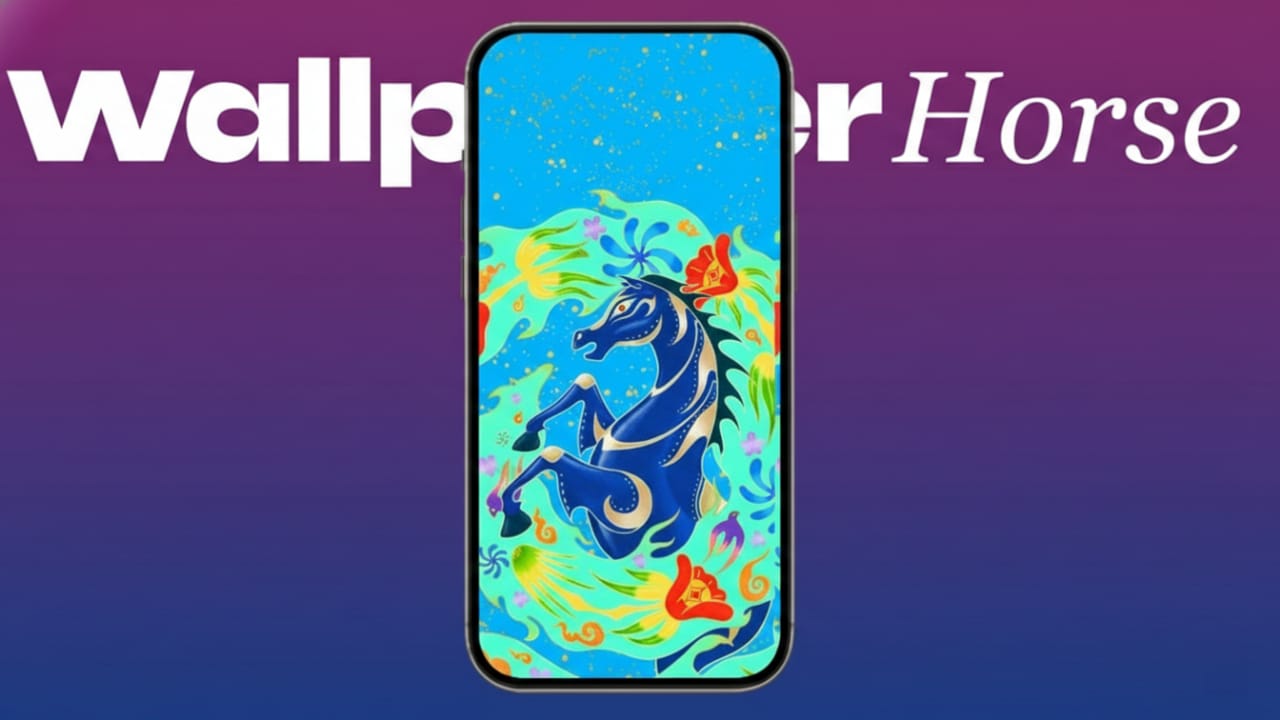
Apple has rolled out a fresh set of Year of the Horse 2026 wallpapers to mark the upcoming Lunar New Year. These designs are available worldwide and are created to celebrate tradition, progress, and positive energy. The collection adds a festive touch while keeping Apple’s clean and modern style.
The wallpapers are made specifically for Apple devices, so they fit perfectly without any editing. You can use them straight away on supported devices as part of Apple’s yearly seasonal releases.
Also read: How Grok AI Can Help You Write, Learn, and Research Faster
What You Should Know
- Apple has released special wallpapers for Lunar New Year 2026
- Supported devices include iPhone, iPad, Mac, and Apple Watch
- The designs represent qualities like strength, focus, and ambition
About the Year of the Horse 2026 Wallpapers
In many cultures, the horse symbolizes power, determination, and forward movement. Apple reflects these ideas through bold colors and thoughtful artwork. The goal is to blend cultural meaning with a modern visual style that looks great on everyday devices.
The Lunar New Year in 2026 begins on February 17 and runs until February 5, 2027. Apple shared these wallpapers ahead of time so users can update their devices before the celebrations start.
As with other special occasions, Apple continues its tradition of releasing themed wallpapers for global events. These wallpapers are also included with recent system updates, making them easy to access for most users.
Available Download Options
Each wallpaper is designed to match the screen size and shape of specific devices. There’s no need to crop or resize anything.
You can download versions for:
- iPhone – High-resolution images made for newer models
- iPad – Optimized for larger, landscape-style screens
- Apple Watch – Adjusted for smaller displays
- Mac – Built for wide and high-resolution monitors
The image quality is sharp and clear across all devices. Apple recommends using the version made for your exact device to avoid zooming or display issues.
How to Set the Wallpaper
Applying the wallpaper is quick and beginner-friendly.
On iPhone or iPad:
- Save the image to the Photos app
- Open the image and tap the Share icon
- Choose Use as Wallpaper
Alternative method:
- Open Settings
- Go to Wallpaper
- Tap Add New Wallpaper and select the image from Photos
On Mac:
- Save the wallpaper to your computer
- Open System Settings
- Go to Wallpaper and add or select the image
On Apple Watch:
- Save the image to your iPhone
- Open the Watch app
- Choose the Photos watch face and sync the image
No technical knowledge is needed. Anyone can set it up in a few minutes.
Also read: WhatsApp Spoiler Messages Feature: What It Is and How It May Work
Final Thoughts
Apple’s Year of the Horse 2026 wallpapers offer a simple way to refresh your device for the Lunar New Year. The designs are polished, meaningful, and easy to use across all supported Apple products.
If you enjoy seasonal updates and cultural themes, these wallpapers are worth downloading. They add a fresh look while keeping everything clean, balanced, and visually pleasing.

Abhi Rajput, founder of EarnAbhi.in, is a tech lover with 6+ years of experience in SEO, digital tools, and smartphone troubleshooting. He writes simple, clear, and useful guides to help people solve real tech problems.