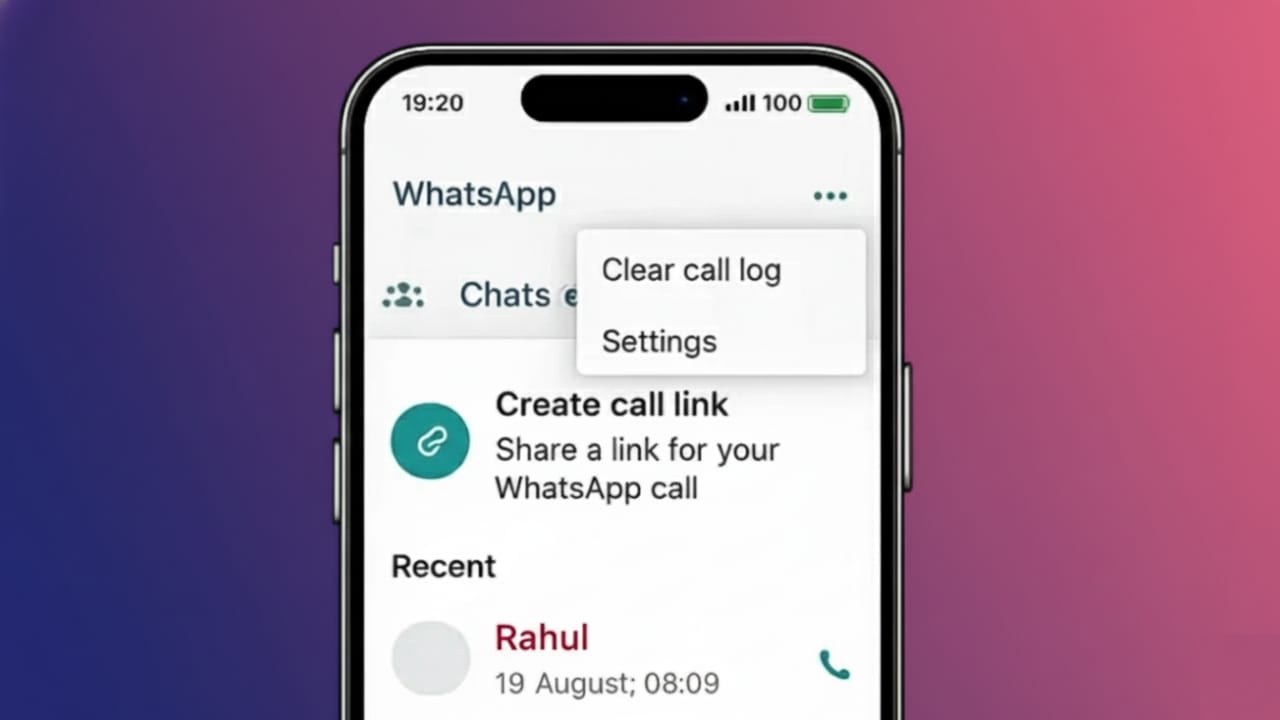
WhatsApp calling is useful for everyday communication, but the Calls tab can get messy over time. Old calls, missed attempts, and unwanted entries can pile up quickly. If you want to keep your app clean or protect your privacy, deleting call history is a smart move.
This article explains, in simple steps, how to remove WhatsApp call history on both Android and iPhone using the app’s official options.
Also read: How to Enable Two-Step Verification on WhatsApp (Simple Guide)
What Is WhatsApp Call History?
WhatsApp keeps a local record of all your calls, including:
- Voice calls
- Video calls
- Missed calls
These records appear in the Calls section of the app. Removing them only affects the call list. Your chats, contacts, and shared files stay exactly the same.
How to Delete a Single WhatsApp Call
On Android
- Open WhatsApp
- Tap on the Calls tab
- Press and hold the call you want to remove
- Tap the delete icon
- Confirm your choice
Only that one call will be erased.
On iPhone
- Open WhatsApp
- Go to Calls
- Swipe left on the call entry
- Tap Delete
This removes just the selected call from the list.
How to Clear All WhatsApp Call History
On Android
- Open WhatsApp
- Open the Calls tab
- Tap the three-dot menu in the top corner
- Choose Clear call log
- Confirm the action
All call records will be deleted at once.
On iPhone
- Open WhatsApp
- Tap Calls
- Select Edit at the top
- Tap Clear
- Confirm to delete everything
Your entire call history will be removed in one step.
What Changes After Clearing Call History?
When you delete WhatsApp call logs:
- Call records are removed
- Chat messages stay intact
- Photos and videos remain safe
- Contacts are not deleted
Only the call list is affected
Can Deleted Call History Reappear?
Yes, it can happen if you restore WhatsApp from an older backup that still contains call logs. To prevent this:
- Create a fresh backup after clearing the call history
- Restore backups only when needed
This helps keep deleted call records from coming back.
Why People Clear WhatsApp Call Logs
Many users delete call history to:
- Protect personal privacy
- Remove clutter from the app
- Keep things organized
- Prepare the phone for sharing or selling
It’s a simple habit that keeps WhatsApp neat and easy to use.
Also read: WhatsApp Spoiler Messages Feature: What It Is and How It May Work
Final Words
Deleting WhatsApp call history on Android or iPhone is fast and safe. It does not affect your chats, contacts, or media. Whether you want to remove a single call or wipe the entire list, WhatsApp gives you clear options to do both. If privacy and organization matter to you, reviewing and cleaning your call history once in a while is a good idea.

Abhi Rajput, founder of EarnAbhi.in, is a tech lover with 6+ years of experience in SEO, digital tools, and smartphone troubleshooting. He writes simple, clear, and useful guides to help people solve real tech problems.