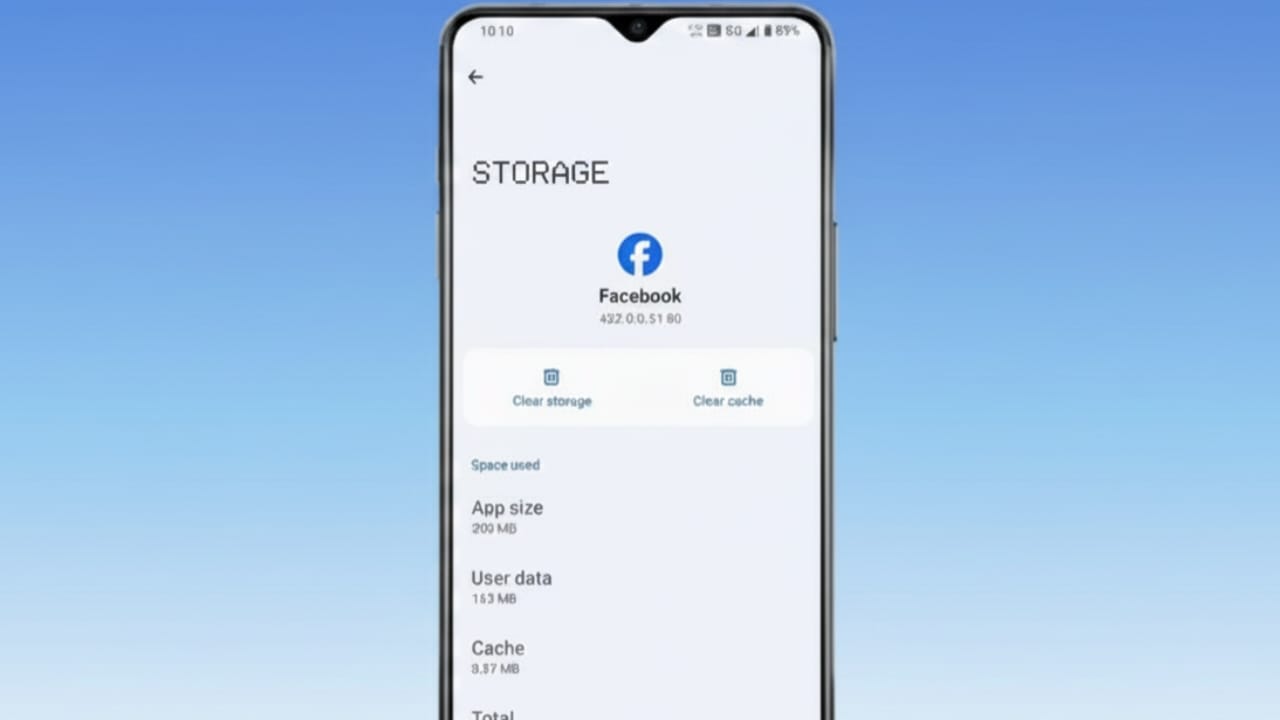
Facebook saves temporary files on your device to help pages, images, and videos load faster. This stored data is called cache. While cache is useful, it can grow too large over time. When that happens, Facebook may start lagging, freezing, or crashing. Clearing the cache once in a while helps keep the app running smoothly.
Also read: How to Schedule Posts on Facebook Pages: Simple Guide for 2025
Why Clearing Facebook Cache Is a Good Idea
Better App Speed
Old and unused cache files can slow down Facebook. Removing them helps the app open faster and respond better.
More Free Storage
Cached data can take up a noticeable amount of space. Clearing it frees up storage on your phone or computer without deleting your account or posts.
How to Clear Facebook Cache on Android
Android allows you to remove cache directly from the app settings. Just follow these steps:
- Open Settings on your phone.
- Tap Apps or App Management.
- Find and select Facebook from the list.
- Tap Storage.
- Select Clear Cache.
This will remove temporary Facebook files, but your login details and data will stay safe.
How to Clear Facebook Cache on Computer (Web Browser)
If you use Facebook on a laptop or desktop, the cache is stored in your browser. Here’s how to clear it:
- Open your web browser and go to Facebook.
- Click the three-dot menu in the top corner of the browser.
- Choose More Tools, then select Clear browsing data.
- Check Cached images and files.
- Pick a time range.
- Click Clear data.
This refreshes stored files and can improve loading speed.
How to Clear Facebook Cache on iPhone or iPad
iPhones do not offer a direct option to clear app cache. The only way to remove Facebook’s cached data is by reinstalling the app:
- Delete the Facebook app from your device.
- Restart your iPhone (optional but helpful).
- Download Facebook again from the App Store.
This clears all temporary data and gives you a fresh app install.
Also read: How to Safely Move Your Facebook Photos to Google Drive
Final Thoughts
Clearing Facebook cache is a simple habit that can improve performance and free up space. It does not delete your photos, messages, or account. If Facebook feels slow or takes up too much storage, clearing the cache is a quick and safe fix. Whether you’re on Android, iPhone, or a computer, the process takes only a few minutes and keeps things running smoothly.

Abhi Rajput, founder of EarnAbhi.in, is a tech lover with 6+ years of experience in SEO, digital tools, and smartphone troubleshooting. He writes simple, clear, and useful guides to help people solve real tech problems.