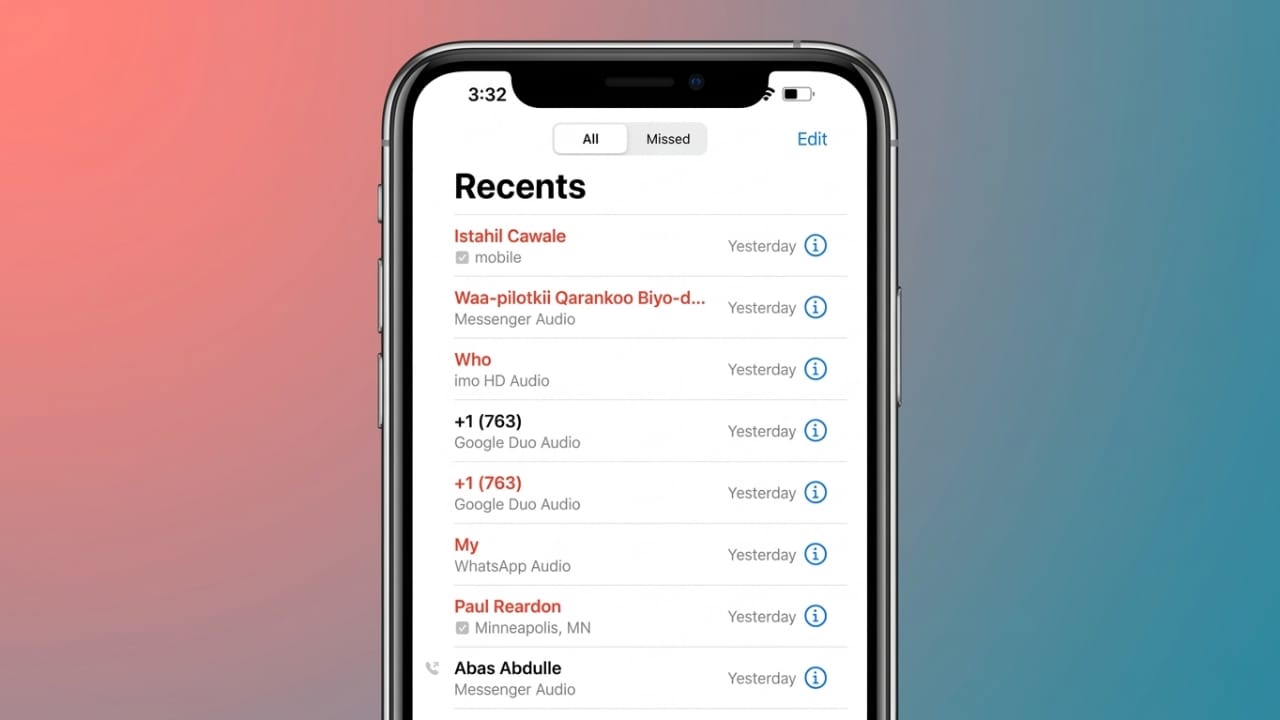
Call history keeps a record of all incoming, outgoing, and missed calls on your phone. While this feature can be useful, many people prefer to remove old call records to maintain privacy and keep their device organized.
Both Android phones and iPhones allow users to delete call logs easily. You can remove a single call entry or clear the entire history within a few steps. This guide explains simple and safe methods to delete call history on Android and iOS devices.
Also read: How to Share Your Screen on WhatsApp (iPhone, Android, and Desktop)
How to Delete Call History on Android
On Android devices, the Phone app stores your recent call activity. You can delete individual entries or clear multiple call logs at once.
Delete a Single Call Log
- Open the Phone app on your Android phone.
- Go to the Recent Calls or Call History section.
- Find the call entry you want to remove.
- Press and hold that call record.
- Tap the Delete or Trash icon.
The selected call will be removed from your history.
Delete Multiple or All Call Logs
- Open the Phone app.
- Navigate to the Call History or Recents section.
- Tap the menu icon (usually three dots at the top corner).
- Select Delete or Clear call history.
- Choose the call logs you want to remove, or select all.
- Confirm the action by tapping OK or Delete.
After confirmation, the selected call records will be removed from your device.
Clearing Call Logs on Different Android Phone Brands
The basic process is similar on most Android phones, although the exact options may appear slightly different depending on the brand.
Samsung
- Open the Phone app.
- Tap the three-dot menu.
- Choose Delete.
- Select the call entries you want to remove.
- Tap Delete to confirm.
Huawei
- Open the Phone app.
- Tap the menu icon.
- Choose Delete entries.
- Select the records you want to remove.
- Tap the trash icon.
Xiaomi
- Launch the Phone app.
- Go to Call History.
- Tap the menu option.
- Choose Clear call history.
- Confirm the deletion.
Tecno
- Open the Phone app.
- Go to Call History.
- Long-press the call log you want to remove.
- Select additional entries if needed.
- Tap the Delete or Trash icon.
Google Pixel or Motorola
- Open the Phone app.
- Tap the Recents or clock icon.
- Open Call History.
- Choose Clear call history.
- Confirm the action.
For other Android brands such as OPPO, vivo, Sony, ASUS, or HTC, the steps are generally very similar. Simply open the Phone app, go to your recent calls, and use the delete option.
Using a Computer Tool to Manage Android Call Logs
Some users prefer managing their phone data from a computer. Certain phone-management tools allow you to view, delete, or back up call logs directly from a PC.
The typical process looks like this:
- Install the software on your computer.
- Connect your Android phone using a USB cable.
- Enable USB debugging on the phone if required.
- Open the program and navigate to the Call Logs section.
- Select the entries you want to remove.
- Click Delete.
These tools can also help you create backups so important information is not lost accidentally.
How to Delete Call History on iPhone
iPhones also allow users to remove call records easily through the built-in Phone app.
Delete a Single Call Log
- Open the Phone app.
- Tap Recents.
- Press Edit in the top corner.
- Tap the Delete icon next to the call entry.
- Confirm the deletion.
Another quick option is to swipe left on a call entry and tap Delete.
Clear All Call History on iPhone
- Open the Phone app.
- Tap Recents.
- Select Edit.
- Tap Clear in the upper corner.
- Choose Clear All Recents.
This removes every call record from the list.
Can Deleted Call Logs Be Recovered on iPhone?
If you remove a call record by mistake, it may be possible to restore it from a backup. iPhones often store backups in iCloud or iTunes.
To restore deleted call logs:
- Restore the iPhone from a previous backup.
- Make sure the backup was created before the call history was deleted.
In some cases, mobile carriers may also provide call details through account records.
Helpful Tips for Managing Call History
Keeping your call logs organized can make it easier to use your phone.
Create backups:
Backups help protect important data in case something is deleted accidentally.
Check call details when needed:
Both Android and iPhone devices allow you to tap a call entry to see details such as time and duration.
Clear logs regularly:
Removing old entries occasionally keeps the call list simple and easier to manage.
Benefits of Clearing Call History
Deleting old call records is not only about cleaning up your phone. It can also improve privacy and usability.
1. Better Privacy
Call logs contain phone numbers and communication details. Removing them helps prevent others from seeing private information.
2. Less Storage Usage
Although call logs are usually small, clearing unnecessary records can help free up space, especially on devices with limited storage.
3. Smoother Phone App Performance
A very long call list can sometimes make the Phone app slower. Removing old entries keeps things running smoothly.
4. Easier Navigation
Shorter call lists make it easier to find recent or important calls quickly.
5. Improved Security
If a phone is lost, stolen, or accessed by someone else, fewer stored call logs reduce the risk of personal information being exposed.
6. Shared Device Safety
For people who share a phone with family members, deleting call logs can help keep personal contacts private.
7. Organized Records
Regular cleanup keeps your call history neat and easier to manage.
8. Faster Backups
Smaller data sizes can help backups complete more quickly.
9. Workplace Compliance
Some companies require employees to remove certain data from work phones for security reasons. Clearing call logs may help meet those guidelines.
Download: Android
Final Thoughts
Removing call history from your phone is a simple task that can help protect your privacy and keep your device organized. Both Android phones and iPhones include built-in options that allow you to delete individual calls or clear the entire call history.
By cleaning your call logs from time to time, you can maintain better privacy, reduce clutter, and keep your phone running smoothly.

Abhi Rajput, founder of EarnAbhi.in, is a tech lover with 6+ years of experience in SEO, digital tools, and smartphone troubleshooting. He writes simple, clear, and useful guides to help people solve real tech problems.
Nice