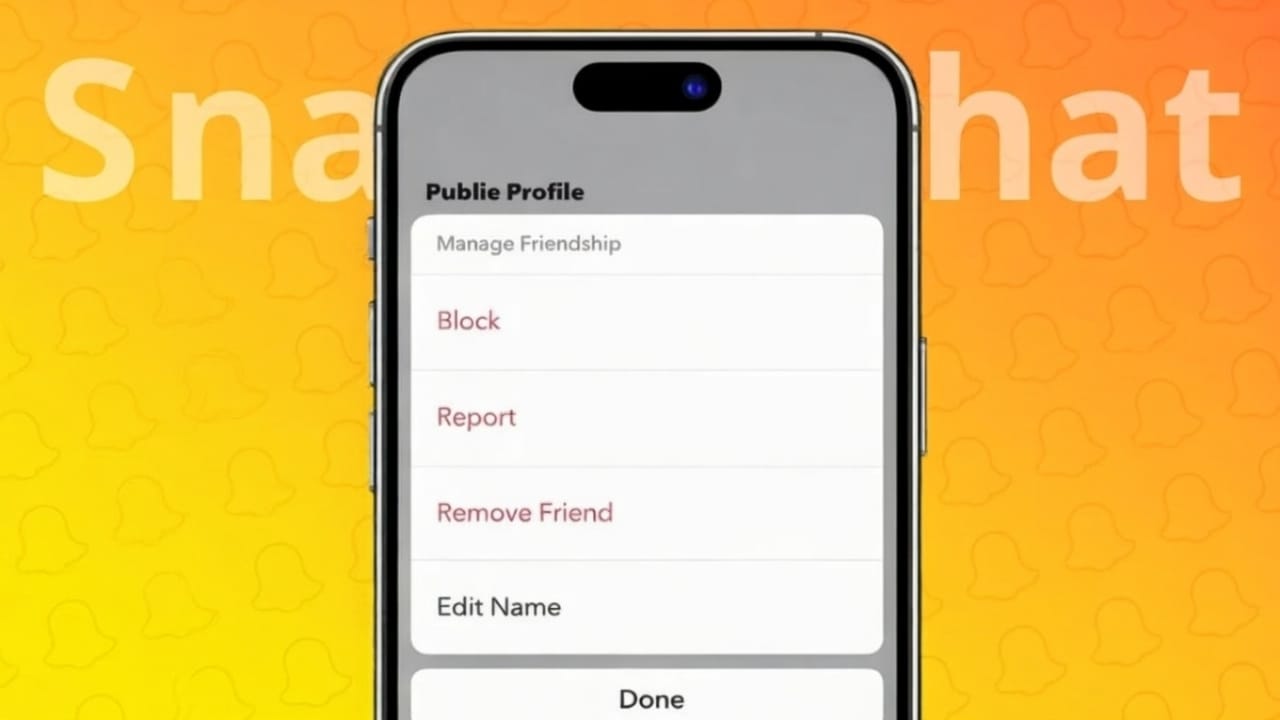
As time passes, your Snapchat friends list can fill up with people you no longer chat with. This is normal. Snapchat gives you a simple and quiet way to remove anyone from your list without informing them. No alerts. No awkward moments.
If your goal is better privacy or a more organized friends list, you can use Snapchat’s built-in options. Below are two easy and official ways to remove a friend.
Also read: How to Change Your Instagram Password on Phone or Computer
Important Things to Understand Before Removing a Friend
When you remove someone from Snapchat, a few things change:
- They will not be able to view your private Stories
- You will not see their private Stories either
- Saved messages remain only if both of you saved them
- Snapchat does not notify the other person
- Removing is not permanent and can be reversed later
Removing a friend is different from blocking. Blocking completely cuts off contact, while removing only limits private sharing.
Method 1: Remove a Friend Using the Friends List
This option is helpful when you want to manage your contacts directly from your list.
Steps:
- Open the Snapchat app
- Tap your profile icon or Bitmoji at the top
- Open My Friends
- Locate the person you want to remove
- Press and hold on their name
- Tap Manage Friendship
- Select Remove Friend
- Confirm your choice
The person will be removed immediately.
Method 2: Remove a Friend Through a Chat
If you already have a conversation open, this method is faster.
Steps:
- Launch Snapchat
- Go to the Chat section
- Open the chat with the person
- Tap their name or profile picture at the top
- Open the menu (three dots)
- Choose Remove Friend
- Confirm
That’s it. They are removed from your friends list.
Will the Other Person Know?
No. Snapchat does not send any message or notification when you remove someone. However, they may notice later if they can no longer see your private content or send snaps to you.
Difference Between Removing and Blocking on Snapchat
Here’s a quick comparison:
- Remove Friend: Private sharing stops, but you can add them again later
- Block: All communication is blocked, and your profile is hidden
If you want complete separation, blocking is the better choice.
Why People Remove Friends on Snapchat
Some common reasons include:
- Too many inactive contacts
- Better control over privacy
- Removing people they don’t know well
- Keeping the friends list clean
Snapchat allows users to manage their connections easily and privately.
Also read: Easy Guide to Making Group Chats on Snapchat
Final Words
Removing someone from Snapchat is quick, silent, and reversible. You can do it either from your friends list or directly from a chat, and both options work smoothly. These tools help you stay in control of your privacy and keep your Snapchat experience clutter-free.
If you ever want to reconnect, you can always add the person again later.

Abhi Rajput, founder of EarnAbhi.in, is a tech lover with 6+ years of experience in SEO, digital tools, and smartphone troubleshooting. He writes simple, clear, and useful guides to help people solve real tech problems.