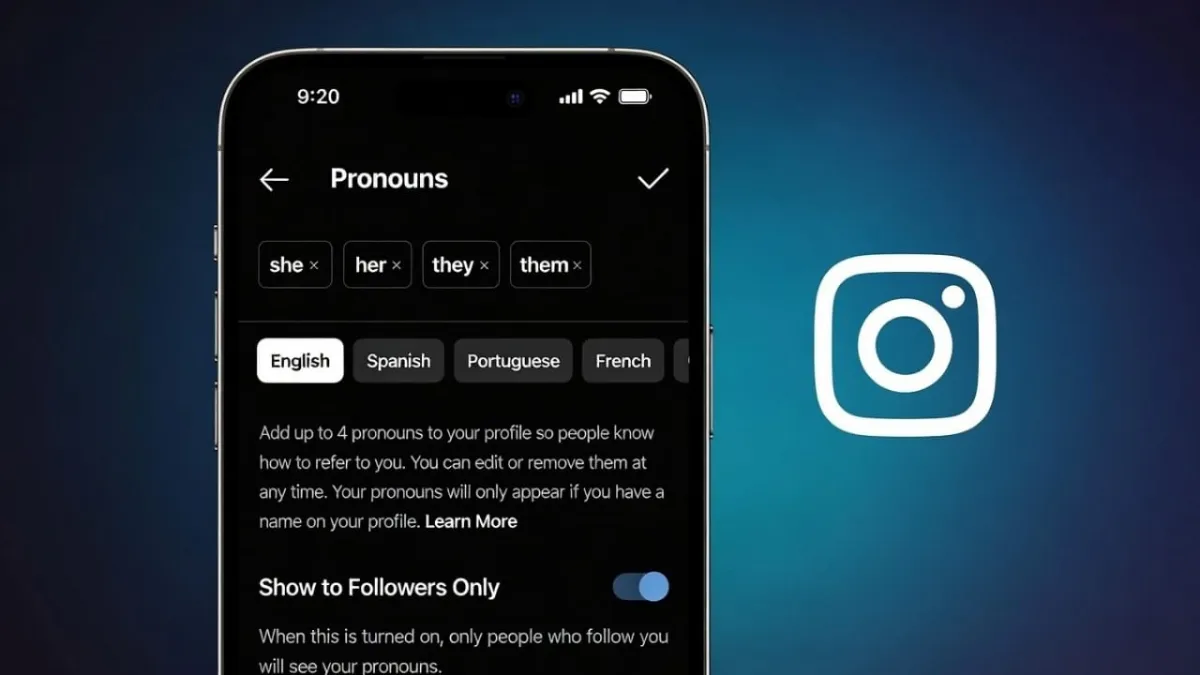
Instagram includes a simple feature that allows users to display their preferred pronouns on their profile. This helps others understand how to address you and adds a personal touch to your account. The feature is optional, easy to use, and can be changed or removed whenever you want. Below is a clear and beginner-friendly guide explaining everything you need to know.
Advertisements
Also read: How to Turn Off Active Status on Instagram: A Simple Privacy Guide
What Does the Pronouns Feature Do?
The pronouns option lets you pick pronouns from Instagram’s built-in list and display them on your profile. Once added, they appear near your name section. This feature was introduced to give users more control over how they present themselves online.
Using pronouns is not mandatory. If you choose not to add them, your account will work exactly the same.
Who Can Use This Feature?
Most users can access the pronouns option on Instagram. It works on both Android and iPhone devices. However, availability can depend on your location and the version of the app you’re using. If the option is missing, updating the app usually makes it appear.
Steps to Add Pronouns on Instagram
Here’s how you can add pronouns using the Instagram mobile app:
- Open the Instagram app
- Go to your profile page
- Tap Edit Profile
- Find and tap Pronouns
- Choose up to four pronouns from the list
- Select who can see them
- Tap Done to save
After saving, your pronouns will be visible on your profile based on the visibility setting you selected.
How to Edit or Remove Pronouns Later
You can update or delete your pronouns at any time by following these steps:
- Open your Instagram profile
- Tap Edit Profile
- Select Pronouns
- Change your selection or remove all pronouns
- Save the changes
Once removed, pronouns will disappear from your profile instantly.
Who Can View Your Pronouns?
Instagram allows you to control who sees your pronouns. You can choose between:
- Everyone on Instagram
- Only people who follow you
This setting can be adjusted anytime from the pronouns section.
Why Some People Add Pronouns
Users choose to add pronouns for many personal reasons, such as:
- Making communication clearer
- Expressing identity
- Avoiding confusion in messages or comments
- Creating a more welcoming profile
There is no right or wrong choice. It depends entirely on what you feel comfortable with.
Can’t Find the Pronouns Option? Try This
If you don’t see the pronouns feature, try the following:
- Update Instagram from the Play Store or App Store
- Log out of your account and log back in
- Check if the feature is available in your country
In most cases, keeping the app updated solves the problem.
Also read: How Instagram’s Collaborative Posts Feature Works for Creators
Final Words
Adding pronouns to your Instagram profile is quick, optional, and flexible. You can show them, hide them, or change them anytime. The feature exists to give users more choice and control, so use it only if it feels right for you.

Abhi Rajput, founder of EarnAbhi.in, is a tech lover with 6+ years of experience in SEO, digital tools, and smartphone troubleshooting. He writes simple, clear, and useful guides to help people solve real tech problems.
Advertisements