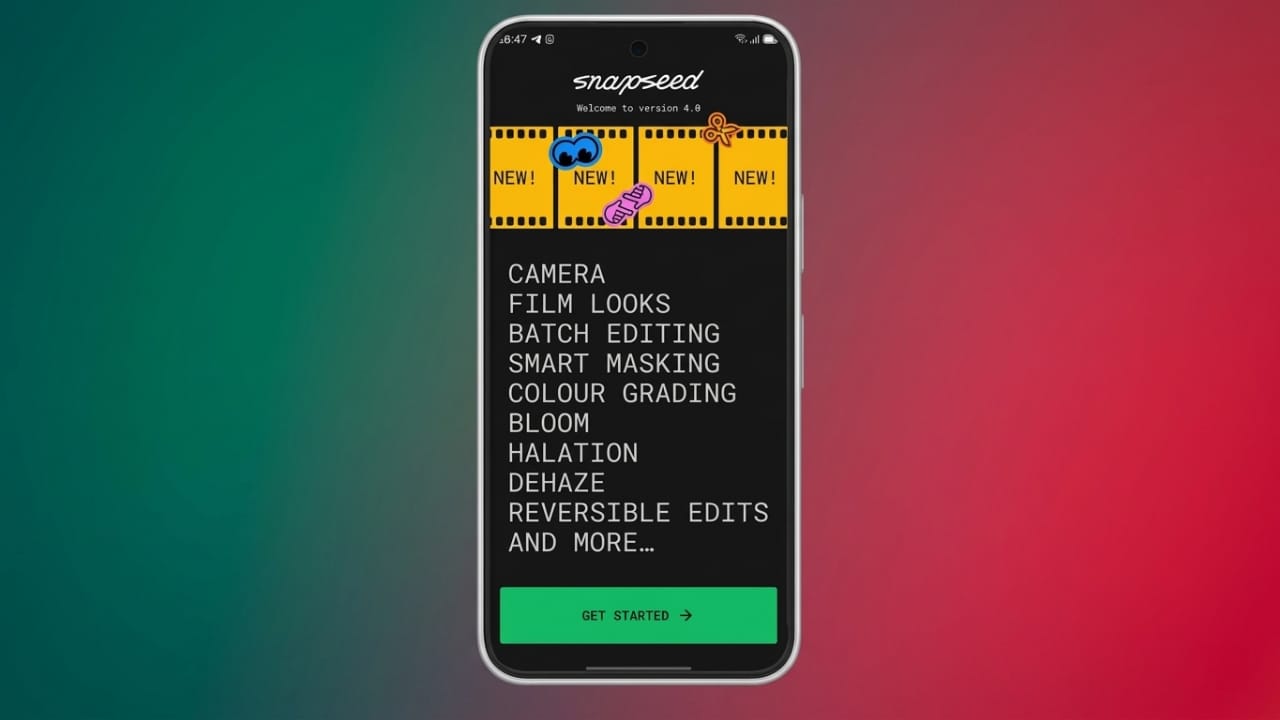
Google has officially started rolling out the new Snapseed 4.0 update for Android devices. The latest version introduces a refreshed design, smoother editing controls, and new camera features aimed at making photo editing easier and more professional.
One of the biggest highlights is that Snapseed still remains completely free. Users do not have to deal with ads, subscriptions, or watermarks while editing their photos.
Advertisements
Also read: Google Introduces Fresh Gradient Icons for Gmail, Drive, Calendar, and More
What’s New in Snapseed 4.0?
The update brings a cleaner and more modern editing experience. Earlier, some of these design changes were only available for iPhone users, but Android users are now getting the same updated interface.
The app’s homepage now displays recently edited images in a grid layout. This makes it easier to continue working on older projects without searching through folders.
Google has also reorganized the editing options into three main sections:
- Looks
- Tools
- Export
This new layout helps users find editing features more quickly, especially beginners who may not be familiar with advanced tools.
Easier Editing Controls
Snapseed still supports gesture-based controls for editing photos. Users can swipe left or right to adjust intensity levels and swipe up or down to access additional settings within tools.
The app now switches more smoothly between light mode and dark mode, improving the overall user experience.
Another useful addition is the histogram feature, which helps photographers check image exposure and color balance while editing.
New Built-In Camera Features
Snapseed 4.0 now includes a built-in camera mode directly inside the app. Users can quickly access the camera from the main screen and capture photos without leaving the application.
The camera section now supports manual controls such as:
- ISO adjustment
- Manual focus
- Shutter speed control
These options give users more control while taking photos.
Live Film Effects Added
A major feature in this update is the addition of real-time film-style filters. Users can preview classic film-inspired effects before capturing a photo.
Some styles are inspired by popular film brands and vintage photography looks, including:
- Kodak-style tones
- Fuji-inspired colors
- Polaroid-style effects
- Agfa-inspired filters
- Technicolor-inspired looks
Google has also added multiple viewfinder themes such as:
- Editor
- Dusk
- Negative
- Steel
- Haze
- Depth
These effects can be adjusted or removed later during editing if needed.
Also read: WhatsApp May Soon Introduce a New Status Widget for Android Users
Advanced Editing Tools
Snapseed continues to offer powerful editing tools without charging users. The update improves several existing features and adds smarter editing options.
Selective Editing and Masking
The app now includes improved one-touch masking tools. Users can edit specific parts of an image without affecting the entire photo.
Brightness, contrast, and saturation can be adjusted more precisely in selected areas.
Object Removal and RAW Editing
The Healing tool helps remove unwanted objects or distractions from images.
Snapseed also continues to support RAW photo editing, which is useful for professional photographers and advanced users who want more control over image quality.
Batch Editing Support
Users can now apply saved editing styles to multiple photos at once using batch editing tools. This helps save time when editing large photo collections.
Additional Editing Features
Other popular tools available in Snapseed include:
- Double Exposure
- Curves
- Lens Blur
- Crop
- Perspective
- Dehaze
- White Balance
- Color HSL
- Glamour Glow
These tools help users create detailed and professional-looking edits directly from their smartphones.
Why Snapseed Still Stands Out
Many photo editing apps now require subscriptions or add watermarks to exported images. Snapseed continues to offer premium-level editing features completely free of cost.
This makes it a strong choice for casual users, content creators, and mobile photographers looking for a reliable editing app without extra charges.
Also read: Netflix Testing New AI Voice Search Feature for Smarter Content Recommendations
Final Thoughts
The Snapseed 4.0 update brings major improvements for Android users. With a redesigned interface, smoother controls, built-in camera tools, and real-time film effects, the app now feels more modern and user-friendly.
Google has also kept the experience free from ads, subscriptions, and watermarks, which remains one of Snapseed’s biggest advantages.
For users who enjoy mobile photography and quick editing, the latest version of Snapseed offers a solid mix of simplicity and professional-level features.
FAQs
Is Snapseed 4.0 free to use?
Yes, Snapseed remains completely free. There are no subscriptions, advertisements, or watermarks.
Does Snapseed support RAW photo editing?
Yes, the app supports RAW image editing for users who want advanced editing control.
What is new in Snapseed 4.0?
The update adds a redesigned interface, built-in camera features, live film filters, improved masking tools, and smoother editing controls.
Can users manually control camera settings in Snapseed?
Yes, the new camera mode allows manual adjustment of ISO, focus, and shutter speed.
Are film-style filters available in real time?
Yes, users can preview and apply film-inspired effects live while taking photos.

Abhi Rajput, founder of EarnAbhi.in, is a tech lover with 6+ years of experience in SEO, digital tools, and smartphone troubleshooting. He writes simple, clear, and useful guides to help people solve real tech problems.