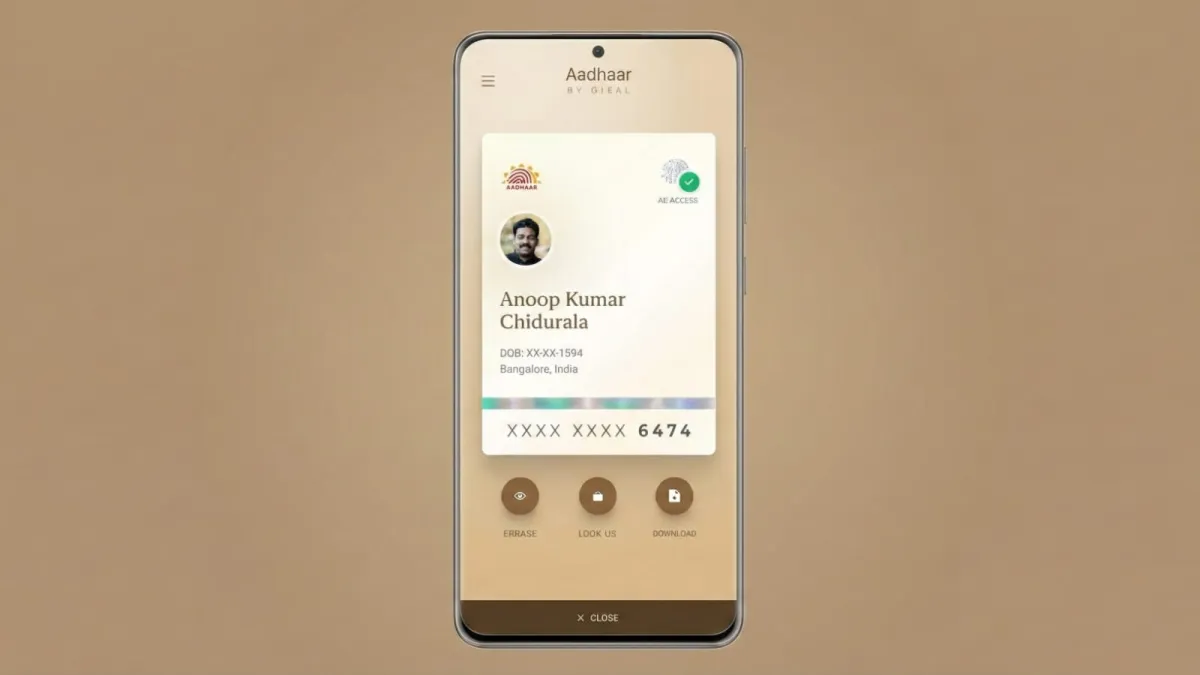
The Unique Identification Authority of India (UIDAI) has revealed a major upgrade to its new Aadhaar app. Soon, users will be able to update their mobile numbers directly from their phones, without visiting any enrolment centre. This change is expected to reduce long queues and make Aadhaar services far more convenient.
Advertisements
The update will rely on two secure methods — OTP verification and face authentication — ensuring that every request is processed safely.
Key Highlights
- Users will soon be able to change their Aadhaar-linked mobile number from home using OTP and face verification.
- Visiting enrolment centres for this service will no longer be necessary, which will save time for millions.
- The app also includes secure features like QR sharing, biometric locking, and support for multiple Aadhaar profiles on a single device.
Also read: How to Schedule Posts on Facebook Pages: Simple Guide for 2025
What UIDAI Shared About the New Feature
UIDAI announced the upgrade on November 9, when it introduced the redesigned Aadhaar app for both Android and iOS users. According to the authority, the option to update mobile numbers from home will be added shortly. Once available, users will be able to complete the entire process online.
The announcement was made through UIDAI’s official X (Twitter) handle. The organisation explained that the feature will use OTP verification and phone-based face authentication to confirm user identity. This approach aims to make updates safer and more reliable for people across the country.
UIDAI also encouraged early users of the new app to share their experience and send feedback, as this feature marks one of the most important additions since the app’s relaunch.
Meanwhile, the older mAadhaar app will continue working normally.
What the New Aadhaar App Can Do
The updated app lets users store up to five Aadhaar profiles on one device, making it useful for families who share the same registered mobile number.
Other helpful features include:
- Secure QR code sharing for verification
- A biometric lock to protect personal data
- Easy access to Aadhaar details anytime
Why Mobile Number Updates Matter
Updating mobile numbers is one of the most common Aadhaar-related requests. At the moment, many users visit enrolment centres only for this task, which often leads to crowding and long waiting times.
By shifting this process online, UIDAI aims to:
- Reduce unnecessary visits to offline centres
- Ease the workload for staff
- Support smooth authentication for banking, telecom, and government services that depend on Aadhaar-linked mobile numbers
UIDAI also mentioned that more secure update features may be added in the future, possibly using advanced face recognition technology to simplify other Aadhaar changes as well.
How to Use the New Aadhaar App
Once the feature goes live, users can follow these simple steps to access Aadhaar services through the app:
- Download the official app from the Play Store or App Store.
- Select your preferred language and enter your Aadhaar number.
- Approve the SMS request that appears on your registered mobile number.
- Enter the OTP sent to your phone.
- Complete face authentication through the phone’s camera.
- Create a six-digit password to secure your profile.
After logging in, users can view their Aadhaar card, share it when needed, mask sensitive details, and manage biometric locks. Additional Aadhaar profiles for family members can also be added easily.
Also read: How to Make Your Own Custom Emojis on Telegram
Final Thoughts
UIDAI’s upcoming feature to update mobile numbers from home is set to make Aadhaar services far more accessible. By combining OTP and face authentication, the process remains simple yet secure. This improvement will reduce visits to enrolment centres and offer smoother support for essential services that rely on Aadhaar verification. For millions of users, this upgrade promises greater comfort and convenience in everyday tasks.

Abhi Rajput, founder of EarnAbhi.in, is a tech lover with 6+ years of experience in SEO, digital tools, and smartphone troubleshooting. He writes simple, clear, and useful guides to help people solve real tech problems.
Advertisements