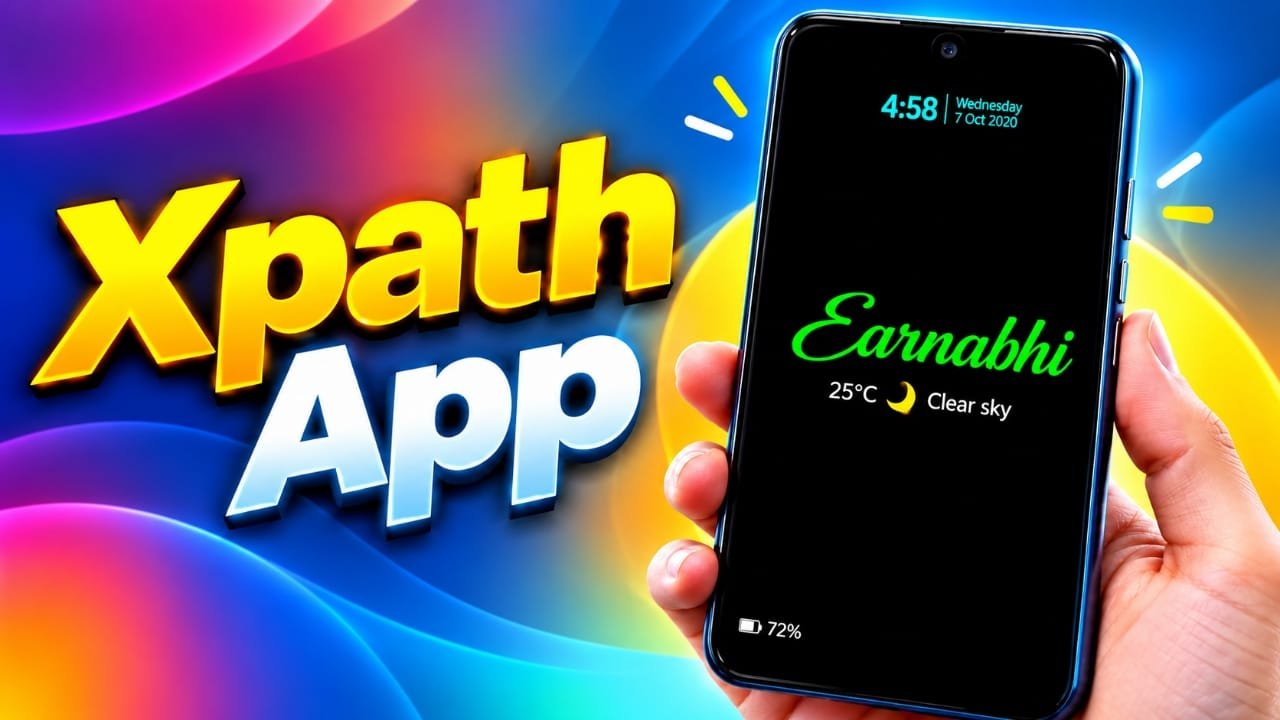
An always-on display (AOD) can make it easier to check the time and other useful details without opening your phone. But what if you could display much more than a clock?
Always on Display XPath is an Android app designed for users who want greater control over their lock screen. It lets you combine different types of information, including battery status, weather updates, notifications, calendar events, photos, music details, and selected online data.
Advertisements
The app also supports RSS feeds, webpage information, and JSON API data. This makes it possible to create a personalized display that works more like a small information dashboard than a traditional clock screen.
Whether you prefer a clean, minimal design or a screen filled with useful information, AOD XPath offers several customization options to explore.
Also read: Shared Albums Not Working on iPhone? 8 Ways to Fix the Problem
What Is the AOD XPath App?
AOD XPath is an Android application that allows users to customize how information appears on their device’s screen. Rather than relying on a fixed clock design, you can choose different elements and arrange them according to your preferences.
For example, you might create a simple display with the time, battery percentage, and weather. If you need more information, you could add upcoming events, notifications, or selected values from supported online sources.
The app also provides home-screen widget options for compatible features, so some information can be accessed without opening the main application.
Its wide selection of display elements makes it worth exploring for Android users who enjoy personalizing their phones.
Main Features of AOD XPath
The application includes a range of features for building a custom display. Available options may depend on the Android version, device permissions, and the feature being used.
Some of its main capabilities include:
- Custom clock designs and fonts
- Battery percentage and charging information
- Notifications and music details
- Weather conditions and forecasts
- Calendar events and public holidays
- RSS news feeds
- Personal notes and quotes
- Photos, stickers, and animated images
- Step counts and activity history
- Wi-Fi and mobile signal information
- Mobile data usage statistics
- Webpage content selected through XPath
- Information from JSON APIs
- Home-screen widgets and customizable layouts
You do not need to use every feature. Starting with a few useful elements can make the display easier to read and manage.
Customize the Clock to Match Your Style
The clock is often the main element of an always-on display. AOD XPath offers options to change its appearance, helping you create a design that suits your preferences.
Depending on the available settings, you can adjust fonts, colors, text sizes, shadows, gradients, and other visual effects. Special styles include neon-inspired designs, flipped digits, and Nixie-style displays.
Here are a few ways to use these options:
Minimal design: Use a simple clock with clear text and a dark background.
Modern design: Combine bright digits with subtle lighting effects.
Retro design: Experiment with vintage-inspired fonts and Nixie-style numbers.
You can also adjust the placement of other information around the clock, allowing the display to feel more personal without changing the overall look of your phone.
Add Personal Photos and Animated Images
A lock screen does not have to display only text and numbers. AOD XPath supports personal images and other visual elements, including stickers and animated images.
The app also lists support for MP4 video wallpaper from the device gallery. Availability and playback behavior may vary depending on the device and app settings.
For example, you could use a favorite photograph as the main visual element and place the clock or battery information nearby. Stickers and animated graphics offer additional ways to change the appearance.
Keep in mind that moving images and video may consume more battery than a simple, mostly static display.
View Music Information on the Screen
If you frequently listen to music on your phone, the app can help you keep track of what is playing.
Supported music information can include the song title, album artwork, and a volume-control bar. This can be convenient when your phone is being used as a music player.
The information displayed may depend on the music application, Android media controls, and notification permissions. Not every music service or device will necessarily behave in the same way.
Make Notifications Easier to Read
Notifications help you stay informed about messages, reminders, and other activity on your phone. AOD XPath provides options for displaying more than a basic notification symbol.
Depending on the available settings, you can show notification icons, message titles, and action buttons. Edge-lighting effects can also make selected app notifications more noticeable.
These features may help you decide whether a notification needs immediate attention. However, displaying message details on a lock screen can affect privacy, especially when other people can see your phone.
Consider hiding sensitive notification content if you often leave your device on a desk or in a shared space.
Check Weather Information at a Glance
Weather is a useful addition to a personalized display, particularly if you check the forecast before leaving home.
AOD XPath supports weather information and forecasts, with options that may include manual location settings or automatic location-based information.
A customized layout might show the current temperature and a short weather description alongside the clock and battery level.
For example, you could arrange the display to show:
- Current temperature
- General weather conditions
- Forecast information
- Battery percentage
Weather accuracy depends on the data source, location settings, internet access, and the freshness of the information. Check the settings to understand how the app obtains its weather data.
Read RSS News Feeds on Your Lock Screen
AOD XPath supports RSS feeds, which provide updates from websites that publish content through RSS.
This feature can be useful if you follow technology news, blogs, or other websites that offer RSS feeds. Instead of opening each website separately, you can configure a feed and display selected updates within your custom layout.
The app also offers presentation effects for RSS content, including fade transitions and popover-style displays.
The usefulness of this feature depends on the RSS source and its compatibility with the application. An internet connection may also be required to retrieve fresh updates.
Display Selected Information from Webpages
One of the more distinctive features of AOD XPath is its support for extracting selected information from webpages.
XPath is a language used to identify specific elements within structured documents, including HTML pages. With compatible webpages, it can help select a particular piece of information instead of displaying the entire page.
The app allows users to share a webpage from a browser and configure information they want to display. Selected content can then be refreshed according to the available update settings.
Possible examples include:
- A product price
- An availability status
- A published exchange rate
- A particular value shown on a webpage
Whether a selection works correctly depends on the website’s structure and the app’s ability to access the content. If a website changes its layout, the saved XPath expression may need to be updated.
Some websites also restrict automated access, require authentication, or load their content dynamically. As a result, not every webpage will work as expected.
Use JSON APIs to Display Online Data
In addition to webpage extraction, AOD XPath supports selected values from JSON APIs.
An API allows one application or service to provide data to another application in a structured format. JSON is a common format used to organize this information.
For instance, a compatible API might provide currency exchange rates or cryptocurrency prices. The app can use selected values to build a display around the information you want to monitor.
Before configuring an API, check whether it requires an account, authentication, an access key, or a paid subscription. Data availability and update frequency depend on the service providing it.
Remember that an on-screen value is only as reliable as its source. For financial information, verify important figures with the original service before making decisions.
Create Personal Notes and Reminders
Sometimes, the most useful information is something you write yourself.
AOD XPath includes memo and text-display options that can be used for short reminders, quotes, shopping notes, and personal messages. Its listed customization features also include emojis, stickers, GIFs, and popover text.
You could use this space for a daily task, a reminder to carry something, or a short message you want to see regularly.
Keep the text brief so it remains readable on a small screen. Avoid placing passwords, private account details, or other sensitive information on a display that may be visible to other people.
Keep Calendar Events and Holidays in View
AOD XPath also supports calendar-related information, including events and public holidays.
This can be helpful if you want to see an upcoming appointment without opening your calendar application every time you check your phone.
For example, your display could include an upcoming meeting, a birthday, or a scheduled event alongside the clock.
The information available will depend on the calendar source, the app’s permissions, and the settings you configure. Check that calendar access is enabled if the expected events do not appear.
Monitor Steps and Network Information
For users who like keeping an eye on device statistics, the app offers additional information related to activity and connectivity.
Its listed features include step counts, step history, Wi-Fi signal strength, mobile signal strength, and daily mobile upload and download usage.
These details can be useful when you want selected device information in one place rather than navigating through several settings screens.
Step tracking and usage statistics may depend on device support and the permissions granted to the application. The figures shown should also be understood in the context of the app’s data sources and measurement methods.
Choose a Layout That Fits Your Screen
Different phones have different screen sizes and aspect ratios. A layout that looks good on one device may be crowded on another.
AOD XPath offers several arrangement options, including horizontal lines, vertical edge layouts, hybrid arrangements, and one- or two-column designs. Its listed layout options include configurations with up to 12 horizontal display lines.
This flexibility lets you organize information according to your device and preferences.
For a smaller screen, a clock, battery percentage, and one additional item may be enough. Larger displays may have more room for weather, calendar information, and other details.
Try a few arrangements and check that the text remains easy to read before adding more elements.
Use AOD Features on the Home Screen
Although the application focuses on always-on displays and lock-screen customization, it also supports home-screen widgets for selected information.
Widgets can provide convenient access to details such as weather, calendar information, or other supported content without requiring you to open the full app.
The available widgets and their behavior depend on the features supported by the installed version.
Using a similar visual theme across the home screen and always-on display can also help create a consistent appearance.
Quick Settings and Gesture Controls
AOD XPath includes options for controlling its display through Android Quick Settings. It also lists gesture-based controls for actions such as adjusting brightness or opening applications.
These options can make the display more convenient to use, although the available controls may vary across Android versions and manufacturers.
You may need to grant specific permissions or add a Quick Settings control before certain actions become available.
If a gesture does not work as expected, review the app’s instructions and Android permission settings.
How to Set Up AOD XPath
The large number of options may seem complicated at first, but you can begin with a basic layout and add features gradually.
Follow these general steps:
- Install AOD XPath from its Google Play listing.
- Open the app and review the available settings.
- Choose a basic layout that suits your screen.
- Add a clock and select your preferred font and color.
- Include the battery percentage if needed.
- Configure weather or another useful information item.
- Choose a background image, or keep the display simple.
- Enable only the notifications and permissions you need.
- Activate the display and check how it looks on your device.
- Adjust spacing, brightness, and other settings for better readability.
Once the basic setup works properly, explore additional options such as RSS feeds, webpage data, calendar events, and API values.
Some features may require extra permissions or configuration. Follow the instructions provided by the app for each feature.
Battery Usage and Performance
An always-on display can use more battery than keeping the screen completely off. The amount of power consumed depends on several factors, including screen technology, brightness, animation, background activity, and update frequency.
A simple clock with a dark background will generally place fewer demands on the device than a display containing video, animated images, frequent online updates, and multiple effects.
If you notice higher battery consumption, consider these adjustments:
- Use a simple layout with fewer display elements.
- Reduce unnecessary animations and visual effects.
- Increase the interval between online data refreshes.
- Avoid video backgrounds if battery life is a priority.
- Review background activity and battery usage in Android settings.
The results will vary by phone. Also check whether your device has built-in always-on-display features, since running overlapping display tools may affect power consumption or usability.
Privacy and Online Data Considerations
Some AOD XPath features rely on webpages, RSS feeds, APIs, location information, or device permissions. Before enabling them, understand what information each feature needs to access.
The app’s Google Play data-safety information should be reviewed before installation and whenever you want to check its current privacy practices. These disclosures are provided by the developer and may change over time.
Use trusted websites and APIs, grant only the permissions necessary for the features you use, and avoid connecting services that contain sensitive personal information unless you understand how the data is handled.
Also remember that displaying notifications, calendar events, or personal notes on a visible screen can expose information to people nearby.
Advantages and Limitations of AOD XPath
Like any feature-rich customization app, AOD XPath has benefits as well as practical limitations.
Potential advantages
- Offers more customization than a basic clock display.
- Combines several types of information in one layout.
- Supports selected webpage content and JSON API data.
- Includes visual options such as photos, stickers, and animations.
- Provides layout choices for different screen arrangements.
- Offers options for both always-on displays and home-screen widgets.
Things to consider
- Advanced features may require additional setup.
- XPath selections can stop working when webpage structures change.
- Online information depends on connectivity and the source service.
- Some display elements may consume additional battery.
- Permissions and background behavior can vary between Android devices.
- Not every feature will necessarily work on every phone.
Considering these points can help you decide whether the app suits your needs.
Also read: How to Clear Keyboard History on iPhone and iPad
Frequently Asked Questions
Is AOD XPath free to use?
Check the current Google Play listing for the latest pricing, in-app purchase details, and availability. Do not assume that every feature is available without charge.
Can AOD XPath display live website information?
It supports selecting information from compatible webpages and refreshing it according to the available settings. Successful updates depend on the website’s structure, accessibility, and the configured XPath expression.
Does AOD XPath support cryptocurrency prices?
The app’s described capabilities include displaying selected values from compatible JSON APIs, with cryptocurrency prices given as an example. Availability depends on the API and its configuration.
Will AOD XPath drain my battery?
Battery usage varies by device and configuration. Animated images, video backgrounds, frequent data updates, and higher brightness may increase consumption compared with a simple display.
Can I use AOD XPath on every Android phone?
Compatibility depends on the Android version, device hardware, permissions, and manufacturer-specific restrictions. Check the current Play Store requirements and test the features on your device.
Official Play Store App Link
Final Verdict
Always on Display XPath is an option for Android users who want to build a more personalized screen instead of relying on a conventional clock. Its range of display elements covers everyday information such as the time, battery level, weather, notifications, and calendar events, along with visual customization and selected online data.
The webpage extraction and JSON API features are particularly interesting for people who want specific information available at a glance. However, their usefulness depends on compatible sources, correct configuration, and reliable internet access.
If you enjoy customizing Android interfaces, start with a simple clock and a few essential details. You can then experiment with additional features and decide which ones are genuinely useful for your daily routine.

Abhi Rajput, founder of EarnAbhi.in, is a tech lover with 6+ years of experience in SEO, digital tools, and smartphone troubleshooting. He writes simple, clear, and useful guides to help people solve real tech problems.