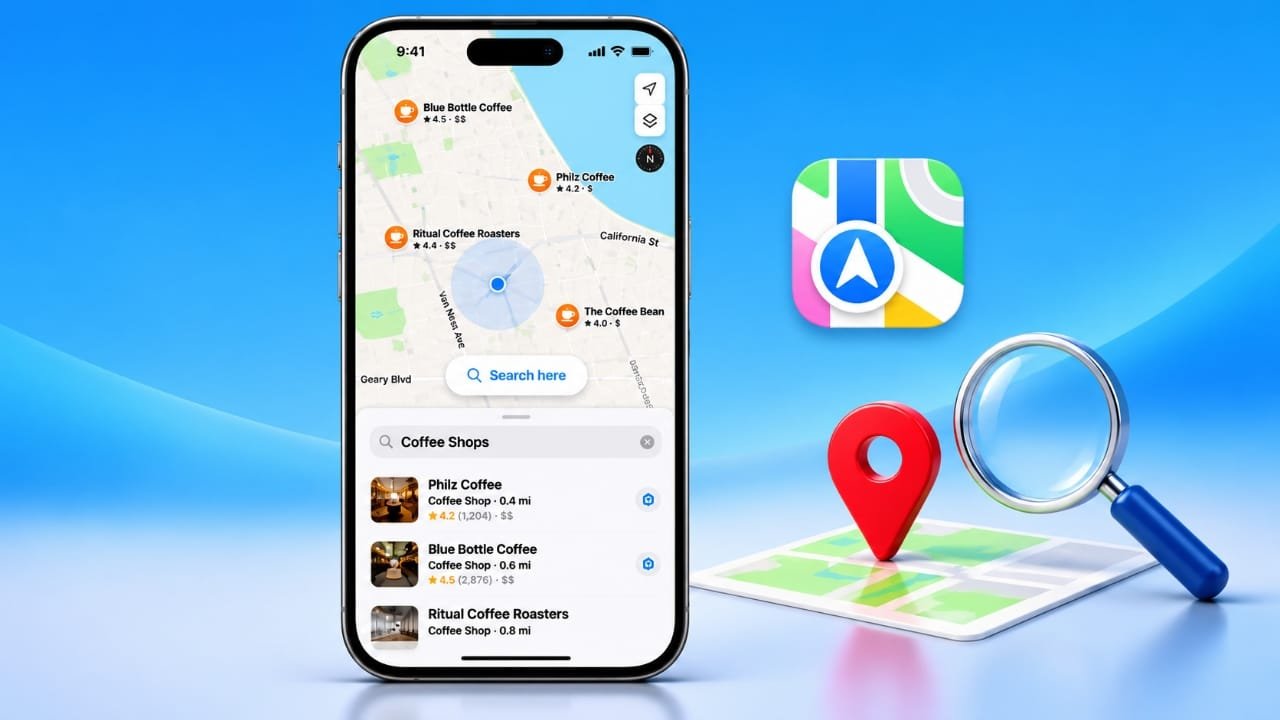
Apple Maps includes a handy Search Here option that lets you refresh location results for the part of the map you are currently viewing. It can be useful when you move the map to another area and the places you are searching for do not appear automatically.
With this feature, you can search for restaurants, parking areas, hospitals, shops, and other nearby places without repeatedly typing the same search term.
Advertisements
Also read: Apple Music Price Guide: Plans, Features, and Free Trial Options
What Is Search Here in Apple Maps?
Apple Maps can update search results as you move around the map. However, the results may not always refresh immediately when you drag the map to a different location or zoom in and out.
This is where Search Here becomes useful.
The button allows you to manually ask Apple Maps to check the area currently visible on your screen. Instead of depending entirely on automatic updates, you can choose when to refresh the results for the new map area.
For example, suppose you search for restaurants and then move the map several miles away. If the new restaurants do not appear automatically, Apple Maps may show a Search Here button. Tapping it tells the app to look for matching places in the area you are now viewing.
This can be particularly helpful when exploring an unfamiliar neighborhood or checking locations before visiting them.
When Can You Use Search Here?
Search Here can be useful in many different situations.
If you are planning a trip, you can move the map to your destination and search for places such as restaurants, hotels, parking locations, or other services.
It can also help when exploring a large city. Instead of searching only around your current location, you can move the map to another neighborhood and refresh the results there.
The feature can also be useful outside major cities. In less populated areas, fewer results may appear automatically, so manually refreshing the current map area can make it easier to check what is available.
Benefits of Search Here in Apple Maps
The Search Here option offers a few practical advantages:
More control: You decide when Apple Maps should refresh results for the area currently shown on the screen.
Easier location planning: You can move the map to another destination and check places there without being physically present.
Less repeated searching: You generally do not need to enter the same search term again just because you moved the map.
Better exploration: It makes it easier to compare different neighborhoods, towns, or areas while planning a trip.
Useful for different locations: Whether you are exploring a busy city or a quieter area, manually refreshing the map can help you check the places available in that section.
How to Use Search Here in Apple Maps
Using Search Here is straightforward. The exact appearance of the feature can vary depending on your iOS version and Apple Maps interface, but the basic process is simple.
- Open the Maps app on your iPhone.
- Enter the place or category you want to find, such as restaurants or parking.
- Look at the search results shown on the map.
- Drag the map to another area or zoom in or out to explore a different location.
- If Apple Maps does not automatically refresh the results, look for the Search Here button.
- Tap Search Here to search the area currently visible on the map.
- Review the updated results and select a location to see more information.
You can repeat the process whenever you move to another part of the map and need to refresh the results.
A Simple Example
Imagine you are planning a visit to a city and want to find coffee shops near a particular neighborhood.
First, search for coffee shops in Apple Maps. Then move the map to the neighborhood you are interested in. If the results do not update automatically, tap Search Here.
Apple Maps will then refresh the search for the area currently displayed on your screen.
This saves you from having to delete and re-enter the same search every time you explore another part of the map.
Also read: iOS 27.3 Developer Beta 1 Released: Customisable StandBy, iPhone Duo Features and More
Final Thoughts
Search Here is a small but useful Apple Maps feature. Its main purpose is to give you more control when searching across different parts of the map.
Instead of relying completely on automatic result updates, you can manually refresh the area you are viewing. This can make trip planning, local searches, and map exploration more convenient.
If you regularly use Apple Maps to discover places away from your current location, Search Here is worth knowing about.

Abhi Rajput, founder of EarnAbhi.in, is a tech lover with 6+ years of experience in SEO, digital tools, and smartphone troubleshooting. He writes simple, clear, and useful guides to help people solve real tech problems.