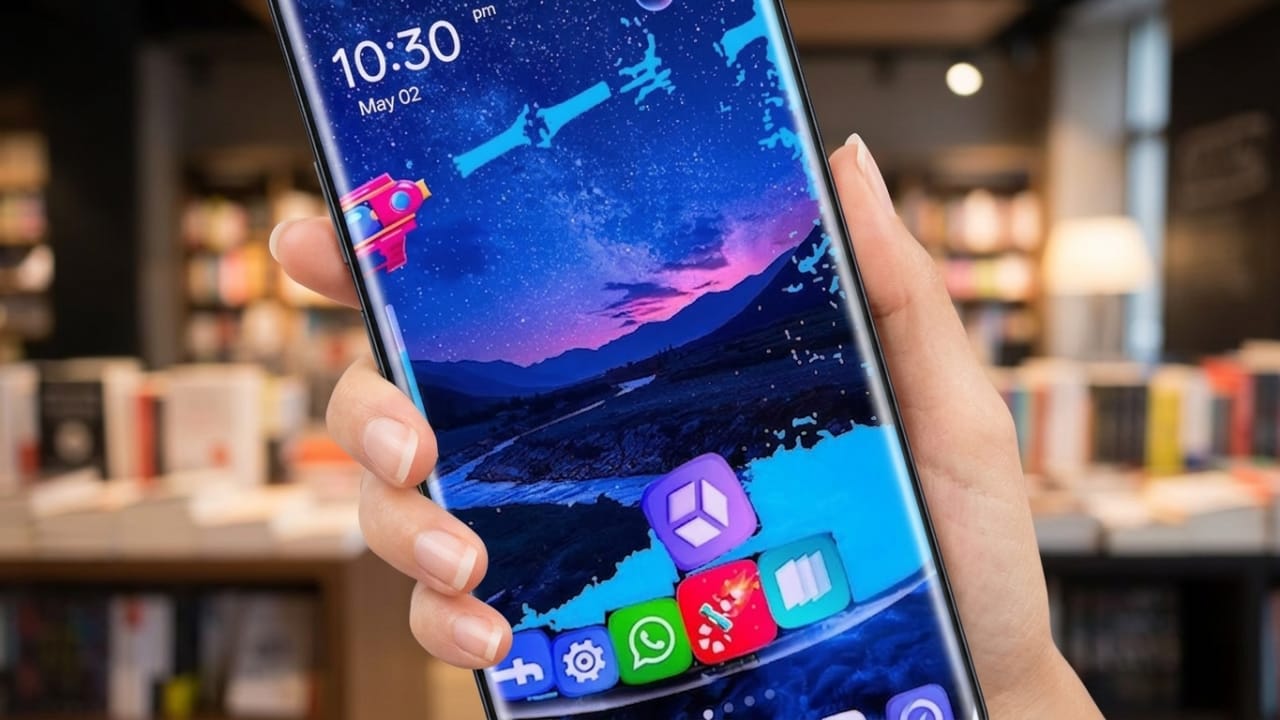
Most people use their smartphones for hours every day. Because of that, many users like to personalize their devices to match their style and preferences. A customized home screen can make a phone feel more enjoyable and easier to use. GO Launcher S is one of the apps designed to help Android users create a unique and attractive phone experience.
Advertisements
GO Launcher S is an Android launcher that changes the appearance of your device without requiring any advanced technical knowledge. It offers themes, wallpapers, customization tools, and useful features that help users organize and personalize their phones.
Also read: Rolling Icons App: Make Your Android Home Screen More Fun and Interactive
What Is GO Launcher S?
GO Launcher S is a launcher application for Android devices. It allows users to modify the home screen, app icons, layouts, wallpapers, and other visual elements. The goal is to provide a cleaner, more personalized interface while maintaining smooth performance.
The launcher is designed to be lightweight, helping users customize their phones without significantly affecting everyday usability.
Key Features of GO Launcher S
1. Stylish 3D Themes
One of the most popular features of GO Launcher S is its collection of 3D themes. These themes can give the home screen a more modern and dynamic appearance.
Some theme features include:
- Animated visual effects
- Creative icon designs
- Modern and futuristic styles
Users who enjoy changing the look of their devices may find these themes appealing.
2. Large Collection of HD Wallpapers
The app provides access to a variety of high-quality wallpapers that can refresh the appearance of your home screen.
Wallpaper categories often include:
- Nature
- Minimal designs
- Abstract art
- Dark backgrounds
New options may be added regularly, giving users more choices over time.
3. Smooth User Experience
GO Launcher S focuses on providing a responsive interface that feels easy to navigate.
Benefits include:
- Lightweight design
- Efficient resource usage
- Smooth screen transitions
Users with older Android devices may appreciate a launcher that aims to keep navigation simple and responsive.
4. Privacy-Related Tools
The launcher also includes certain privacy-focused features that help users manage access to apps.
Available options may include:
- App locking features
- Hidden app settings
- Additional privacy controls
Users should review the app’s current features and permissions before enabling security-related settings.
5. Flexible Customization
Customization is one of the main reasons people choose third-party launchers. GO Launcher S offers various ways to personalize the device interface.
Examples include:
- Adjusting icon sizes
- Changing home screen layouts
- Modifying transition effects
These options allow users to create a setup that fits their personal preferences.
6. Useful Smart Functions
In addition to visual customization, the launcher includes tools designed to improve organization and navigation.
Features may include:
- App organization tools
- Search functions
- Gesture-based shortcuts
These additions can help users access apps and settings more efficiently.
Why Many Users Choose GO Launcher S
There are many Android launchers available, but GO Launcher S remains a popular choice for several reasons:
Easy to Use
The interface is designed to be beginner-friendly, making customization accessible even for first-time users.
Free to Download
Many of its core features are available without requiring a purchase.
Regular Improvements
Updates may introduce new themes, wallpapers, and performance enhancements.
Attractive Design
The launcher focuses on creating a modern and visually appealing home screen experience.
How to Get Started
Setting up GO Launcher S is usually straightforward:
- Download the app from the Google Play Store.
- Open the launcher after installation.
- Set it as your default launcher if desired.
- Browse available themes and wallpapers.
- Adjust settings to personalize your home screen.
Within a short time, users can significantly change the appearance of their Android devices.
Who Might Like GO Launcher S?
This launcher may be suitable for:
- Users who enjoy customizing their phones
- People looking for a lightweight launcher
- Those who want a balance between appearance and functionality
- Android users interested in trying different themes and layouts
Tips for Better Performance
To keep your device running smoothly:
- Use simpler themes if performance is a priority.
- Disable effects you do not use.
- Clear unused files and cache periodically.
- Keep apps updated for the latest improvements.
Official Play Store Link
Also read: Zipper Lock Screen App: Give Your Android Phone a Fresh and Stylish Look
Final Thoughts
GO Launcher S offers a simple way to personalize an Android device with themes, wallpapers, and customization tools. Its combination of visual enhancements and practical features makes it an interesting option for users who want a different home screen experience.
If you enjoy customizing your smartphone and exploring new layouts, GO Launcher S may be worth trying to see if it matches your preferences.

Abhi Rajput, founder of EarnAbhi.in, is a tech lover with 6+ years of experience in SEO, digital tools, and smartphone troubleshooting. He writes simple, clear, and useful guides to help people solve real tech problems.
Advertisements