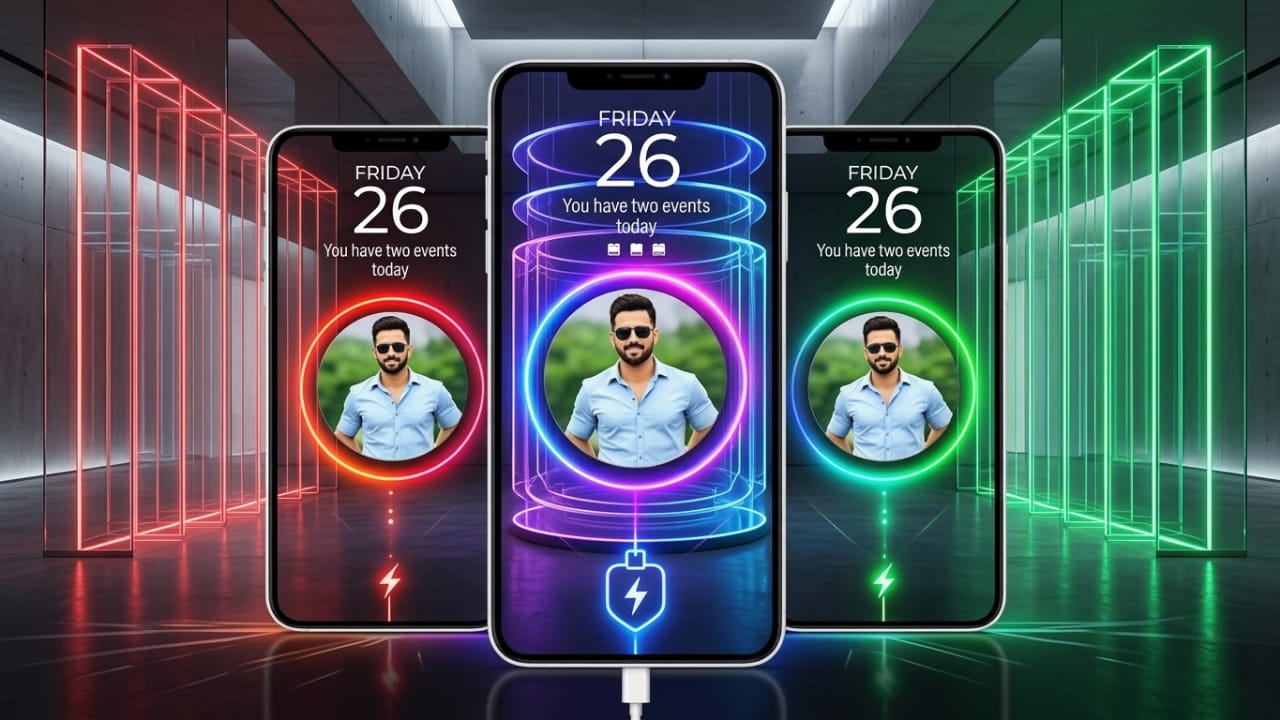
Most smartphone users enjoy customizing their devices to match their personal style. From wallpapers and icons to themes and widgets, customization helps make a phone feel unique. One trend that has become increasingly popular is customizing the charging screen.
Advertisements
If you want your phone to display eye-catching animations, personal photos, or stylish effects whenever it is plugged in, Batix – Charging Photo is an app worth exploring. It allows Android users to replace the standard charging screen with custom visuals and animated designs for a more personalized experience.
Also read: Orbit Launcher: Give Your Android Phone a Modern and Futuristic Look
What Is Batix – Charging Photo?
Batix – Charging Photo is an Android personalization application that changes the appearance of your charging screen. Instead of showing only a basic battery icon, the app can display custom photos, animated effects, and themed charging screens whenever your device starts charging.
The app offers a variety of visual styles, including modern themes, colorful effects, and battery animations that can make the charging process look more engaging.
Why People Like Batix – Charging Photo
Many Android devices show a simple charging indicator by default. Batix adds a more creative touch by allowing users to customize what appears on the screen during charging.
Some popular reasons people use the app include:
- Ability to display personal photos on the charging screen
- High-quality animated charging effects
- Stylish visual themes
- Battery information displayed while charging
- Easy setup and customization
- Multiple design options for different preferences
- A more personalized phone experience
Key Features of Batix – Charging Photo
1. Custom Photo Charging Screen
One of the most attractive features of Batix is the ability to use your own images as part of the charging screen.
You can choose photos directly from your gallery, such as:
- Personal pictures
- Family photos
- Travel memories
- Pet photos
- Favorite wallpapers
When the phone is connected to a charger, the selected image can appear with animated effects for a customized look.
2. High-Quality Charging Themes
The app includes a collection of visually appealing charging themes designed to enhance the charging screen experience.
Popular theme styles may include:
- Neon-inspired designs
- Futuristic themes
- RGB lighting effects
- Technology-based visuals
- Abstract artwork
- Premium-style animations
These themes can help give the device a modern and polished appearance.
3. Animated Charging Effects
Batix offers various charging animations that activate automatically when charging begins.
These visual effects add movement and style to the charging screen, making it more interesting than the standard display.
4. Battery Information Display
In addition to visual customization, the app can also show useful battery-related details while charging.
Depending on the device and app version, available information may include:
- Current battery percentage
- Charging status
- Charging progress
- Battery level updates
- Estimated charging details
This allows users to view important battery information without navigating to other menus.
5. Simple Customization Process
The app is designed to be beginner-friendly and easy to set up.
A typical setup process involves:
- Opening the app
- Selecting a preferred theme
- Choosing a photo (optional)
- Applying animation effects
- Enabling the charging screen feature
The customization process usually takes only a few minutes.
6. Modern Neon and Visual Effects
Neon-style visuals remain popular among users who enjoy vibrant and colorful phone designs.
Batix includes several glowing and animated effects that can create a stylish look, especially on devices with high-quality displays.
7. Smooth User Experience
Many users prefer apps that offer customization without significantly affecting device performance.
Batix is designed to provide charging screen effects while maintaining a smooth user experience on compatible Android devices.
Benefits of Using Batix – Charging Photo
Adds a Personal Touch
Using personal photos can make the phone feel more unique and customized.
Enhances Visual Appeal
Animated themes and creative effects can make the charging screen more attractive.
Easy to Use
The simple interface makes customization accessible even for first-time users.
Fresh Design Options
New themes and visual styles may be added over time, providing additional customization choices.
How to Install Batix – Charging Photo
If the app is available for your device, you can install it through the Google Play Store.
Steps:
- Open the Google Play Store.
- Search for “Batix – Charging Photo.”
- Select the app from the search results.
- Tap the Install button.
- Open the app after installation and configure your preferred settings.
Always review the app details, permissions, and user feedback before installing any application.
Who May Enjoy This App?
Android Customization Enthusiasts
Users who enjoy personalizing their smartphones may appreciate the app’s design options.
Photo Lovers
People who like displaying personal memories and images on their devices can benefit from the custom photo feature.
Gaming and RGB Fans
Users who enjoy colorful visual effects may find the neon and animated themes appealing.
Social Media Enthusiasts
Those who like showcasing unique phone setups may enjoy experimenting with different charging screen styles.
Safety Considerations
Before installing any app, it is a good idea to review:
- App permissions
- Developer information
- User ratings and reviews
- Update history
Checking these details can help you make informed decisions about the apps you use on your device.
Official Play Store Link
Also read: Give Your Android Phone a Fresh Look with GO Launcher S
Final Thoughts
Batix – Charging Photo offers an easy way to customize the Android charging screen with personal photos, animations, and themed designs. Its combination of visual effects, charging screen customization, and battery information display can make the charging experience more enjoyable for users who like personalization.
If you enjoy giving your smartphone a unique look, this app may be worth trying. As always, download apps from trusted sources and review their permissions before use.

Abhi Rajput, founder of EarnAbhi.in, is a tech lover with 6+ years of experience in SEO, digital tools, and smartphone troubleshooting. He writes simple, clear, and useful guides to help people solve real tech problems.
Advertisements