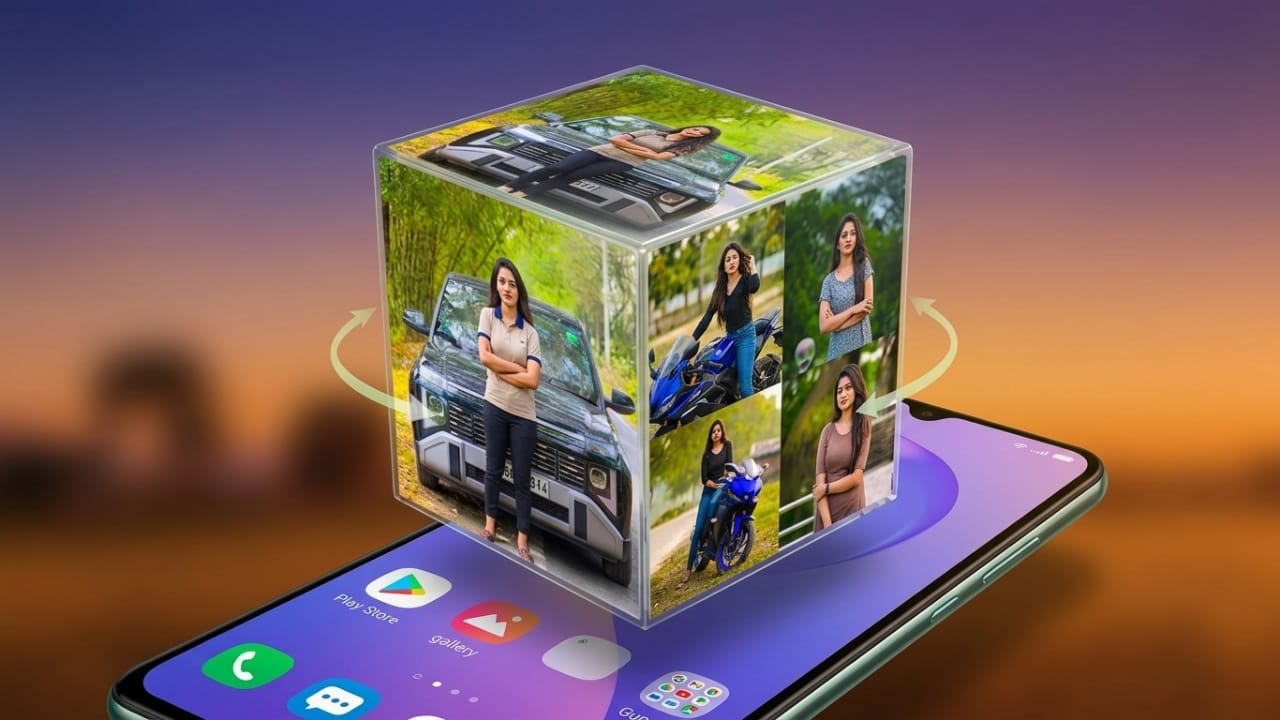
Smartphones have become a part of our daily lives, and many people enjoy customizing their devices to match their style. One simple way to give your phone a fresh and personal look is by using the 3D Photo Live Wallpaper app. This app allows you to turn your favorite pictures into an animated 3D cube wallpaper that moves on your screen and makes your device look more attractive.
Advertisements
In this article, we’ll explore what the app does, its key features, how to use it, and who may find it useful.
Also read: Fluid Simulation: A Simple Android App for Relaxation and Visual Calm
What is 3D Photo Live Wallpaper?
3D Photo Live Wallpaper is an Android application that lets users create a live wallpaper using their own photos. The app displays selected images on the sides of a rotating 3D cube, which appears on the home screen as an animated wallpaper.
Instead of using a regular static background, you can showcase personal photos, memorable moments, or favorite images in a more creative way.
Key Features
1. Animated 3D Cube
The main attraction of the app is its rotating 3D cube effect. Your selected photos are placed on the cube’s sides, creating a dynamic wallpaper experience.
2. Use Your Own Photos
You can choose images directly from your phone’s gallery and apply them to the cube, making the wallpaper completely personalized.
3. Add Custom Text
The app may allow you to add text, such as your name, a favorite quote, or a short message, for an extra personal touch.
4. Automatic Rotation
The cube rotates automatically, giving your home screen a lively and modern appearance.
5. Optimized Performance
The app is designed to run smoothly on many Android devices while keeping resource usage reasonably balanced.
6. Easy-to-Understand Interface
Its simple layout makes it easy for both new and experienced users to create a wallpaper without complicated settings.
How to Set Up the Wallpaper
Creating a 3D cube wallpaper is straightforward.
Step 1: Install the App
Download and install the 3D Photo Live Wallpaper app from the Google Play Store.
Step 2: Launch the Application
Open the app to access the wallpaper customization options.
Step 3: Select Photos
Choose the images you want to display on the cube from your gallery.
Step 4: Customize the Appearance
Adjust available settings such as cube rotation speed, background style, or text options according to your preference.
Step 5: Apply the Wallpaper
Once you’re satisfied with the design, use the wallpaper setting option to apply it to your home screen.
Why People Like This App
Personalized Look
Using your own photos makes your phone feel more personal and unique.
Attractive Visual Effect
The rotating cube animation can make the home screen look more engaging compared to standard wallpapers.
Great for Creative Users
People who enjoy customization often use this type of wallpaper to showcase favorite photos or memorable moments.
Quick Setup
Most users can create and apply a wallpaper within a few minutes.
Tips for Better Results
- Choose clear, high-quality photos.
- Use different images on each side of the cube for variety.
- Select photos with good brightness and color balance.
- Add custom text only if it complements the design and doesn’t make the wallpaper look crowded.
Advantages
- Simple setup process
- Personalized wallpaper experience
- Attractive 3D animation effects
- Various customization options
- Suitable for many Android users
Things to Keep in Mind
- Performance may vary depending on your device.
- Some versions may include advertisements.
- Advanced editing features may be limited compared to professional customization apps.
Who Can Use This App?
This app may be a good choice for:
- Users who enjoy personalizing their smartphones
- People who like displaying family, travel, or favorite photos
- Android users looking for animated wallpapers
- Content creators who enjoy experimenting with visual designs

Also read: Best Android Live Wallpaper Apps with 3D Effects, Clock, and Battery Widgets
Final Thoughts
3D Photo Live Wallpaper offers a simple way to make your smartphone look more personalized and visually appealing. By turning your photos into a rotating 3D cube, the app adds movement and creativity to your home screen without requiring complex setup.
If you enjoy customizing your device and want a wallpaper that feels more personal than a standard background image, this app is worth exploring. Its combination of easy setup, photo-based customization, and eye-catching animation makes it an interesting option for many Android users.

Abhi Rajput, founder of EarnAbhi.in, is a tech lover with 6+ years of experience in SEO, digital tools, and smartphone troubleshooting. He writes simple, clear, and useful guides to help people solve real tech problems.
Advertisements