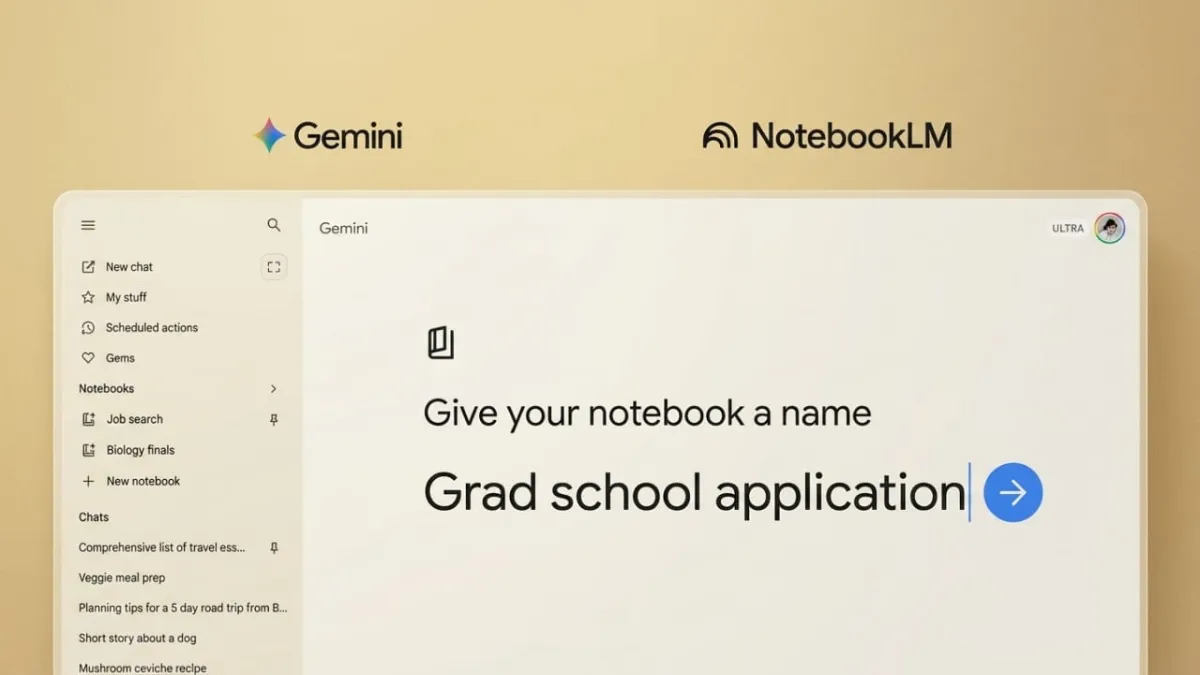
Google has added a new feature called Notebooks to its Gemini platform, designed to make managing projects much easier. With this update, users can keep all their work—like notes, chats, and research—organized in one place without losing track of important details.
Advertisements
This feature is powered by NotebookLM technology, which helps turn scattered information into structured knowledge. It’s especially useful for students, researchers, and anyone working on multiple topics at once.
Also read: X Restores Voice Messaging Feature: Everything You Need to Know
A Smarter Way to Organize Your Work
The Notebooks feature allows users to create a separate space for each project. Inside a notebook, you can store related chats, documents, and reference materials together. This makes it easier to stay focused and avoid switching between different tools or tabs.
Creating a notebook is simple. You just give it a name and start adding content. There’s also an option to include sources, so you can quickly bring in useful information from text files or past Gemini conversations.
Each notebook works like a personal knowledge hub. You can create as many notebooks as you need, depending on your projects. This setup helps reduce confusion and saves time, especially when dealing with large amounts of information.
Smooth Integration with NotebookLM
One of the most useful parts of this feature is its connection with NotebookLM. Any sources added in Gemini automatically appear in NotebookLM, keeping everything in sync.
This integration allows users to explore their content in more advanced ways. For example, you can view summaries, visual explanations, or even structured insights like infographics. It helps make complex topics easier to understand.
The syncing works both ways, so you can start a notebook in either Gemini or NotebookLM and continue working without interruption. This creates a smooth and connected workflow for research and learning.
Who Can Use This Feature?
Right now, the Notebooks feature is available on the web version of Gemini for users with paid plans such as AI Plus, Pro, and Ultra. It is not yet accessible for Workspace or Education accounts, and users under 18 cannot use it at the moment.
However, Google plans to expand access soon. Free users are expected to get this feature in the near future, and mobile support is also on the way, which will make it even more convenient to use.
A Helpful Tool for Study and Research
The Notebooks feature is especially useful for studying, planning, and revision. By keeping everything in one place, users can build a clear structure for their work and easily revisit important information.
It works in a similar way to other project-based tools that store chats and files together, helping users create organized knowledge systems without extra effort.
Also read: How Chrome’s New “Skills” Feature Simplifies Everyday AI Tasks
Final Thoughts
Google Gemini’s Notebooks feature is a practical addition for anyone who wants to stay organized and productive. By combining chats, files, and research into one space and syncing with NotebookLM, it offers a more structured way to manage information.
Although access is currently limited, wider availability and mobile support are expected soon. Overall, it’s a useful feature that can make learning and project work much more efficient.

Abhi Rajput, founder of EarnAbhi.in, is a tech lover with 6+ years of experience in SEO, digital tools, and smartphone troubleshooting. He writes simple, clear, and useful guides to help people solve real tech problems.
Advertisements