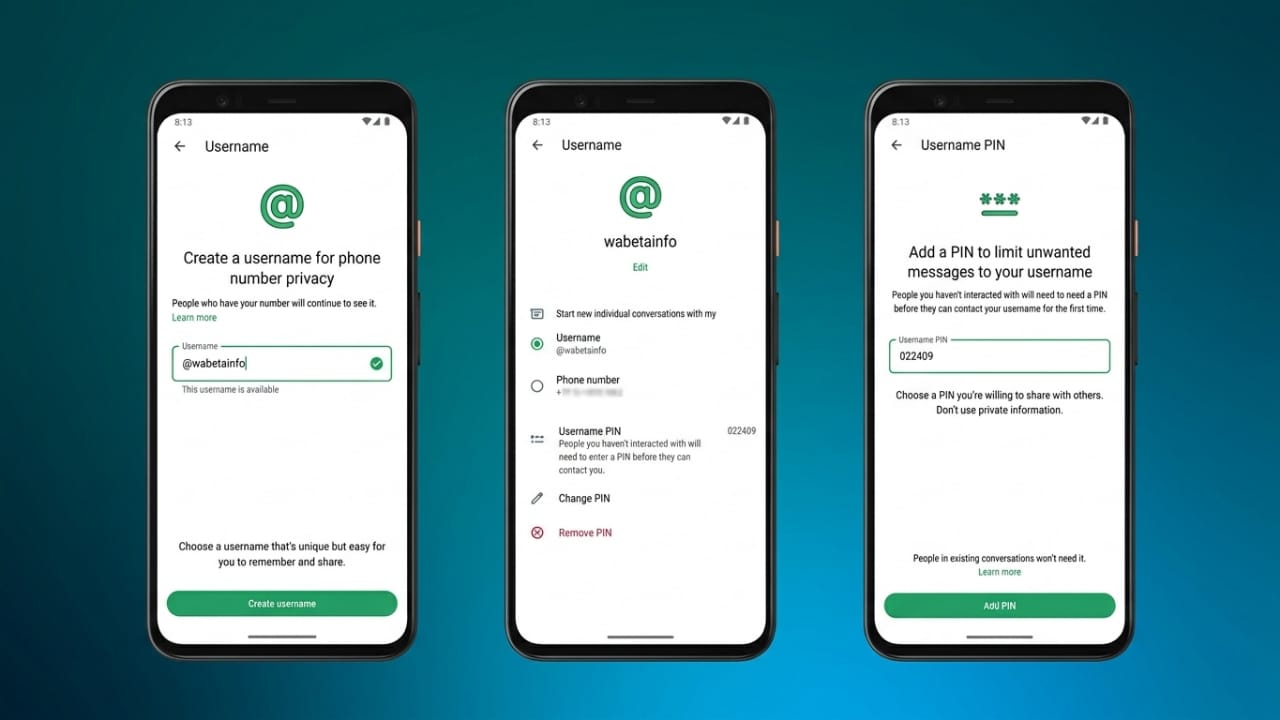
WhatsApp has introduced a new privacy-focused feature that allows users to connect through usernames instead of sharing their personal phone numbers. This update gives people more control over their privacy and makes conversations with new contacts safer.
With usernames, users can search for and contact each other without immediately revealing their mobile numbers. The feature works similarly to what many popular messaging platforms already offer.
Also read: How to Block Your Debit or Credit Card If It Gets Lost or Stolen
Why WhatsApp Usernames Matter
For years, WhatsApp users had to share their phone numbers to start a conversation. With the introduction of usernames, that is beginning to change.
Instead of exchanging numbers, people can use usernames to find and connect with others. This helps protect personal information and may reduce unwanted messages from unknown contacts.
The feature is being rolled out gradually, so some users may receive access before others.
How to Get Early Access Through WhatsApp Beta
If you would like to try new WhatsApp features before the public release, you can join the beta testing program.
Steps to Join WhatsApp Beta
- Open the Google Play Store.
- Search for WhatsApp.
- Open the app listing page.
- Scroll down to find the Join Beta section.
- Tap the option to enroll if spaces are available.
- Update WhatsApp to the latest beta version.
Once enrolled, you may receive access to upcoming features, including username support, before the wider rollout.
How to Create a WhatsApp Username
Setting up a username is designed to be simple and user-friendly.
Follow These Steps
- Open WhatsApp on your phone.
- Tap the three-dot menu in the top-right corner.
- Select Settings.
- Open your profile information.
- Look for the Username option.
- Enter your preferred username.
- Check if the username is available.
- Save your changes.
After setup, people may be able to find and contact you using your username instead of your phone number.
Username Rules You Should Know
To keep usernames clear and unique, WhatsApp applies several guidelines.
- Usernames must be between 3 and 35 characters long.
- They cannot begin with “www.”
- They cannot end with website-style domain extensions.
- At least one letter must be included.
- Usernames made only of symbols are not allowed.
These rules help prevent confusion and improve account identification.
Using an Alternative Number for Extra Privacy
Although usernames can reduce the need to share your phone number, WhatsApp still requires a valid number when creating an account.
Some users choose to use an alternative number for additional privacy. One commonly used option is a virtual phone number service such as Google Voice, where available.
How to Create a Google Voice Number
- Install the Google Voice app from an official app store.
- Sign in with your Google account.
- Search for available phone numbers.
- Choose a number that suits your preference.
- Complete the verification process by linking an existing number.
- Enter the verification code when prompted.
Keep in mind that Google Voice availability may vary by region.
How to Change Your WhatsApp Number
If you decide to switch to a different number, WhatsApp includes a built-in number change feature.
Steps to Change Your Number
- Open WhatsApp and go to Settings.
- Select Account.
- Tap Change Number.
- Press Next.
- Enter your current phone number.
- Enter the new phone number you want to use.
- Choose whether you want contacts to be notified.
- Complete the verification process.
Your group memberships and account information will generally move to the new number after the change is completed.
Also read: Adobe Creativity Connector Set to Arrive on Google Gemini
Final Thoughts
WhatsApp’s username feature is a welcome improvement for users who value privacy. It allows people to connect more easily without immediately exposing their personal phone numbers.
Combined with careful account settings and responsible sharing practices, usernames can help create a safer and more private messaging experience for everyday users.

Abhi Rajput, founder of EarnAbhi.in, is a tech lover with 6+ years of experience in SEO, digital tools, and smartphone troubleshooting. He writes simple, clear, and useful guides to help people solve real tech problems.