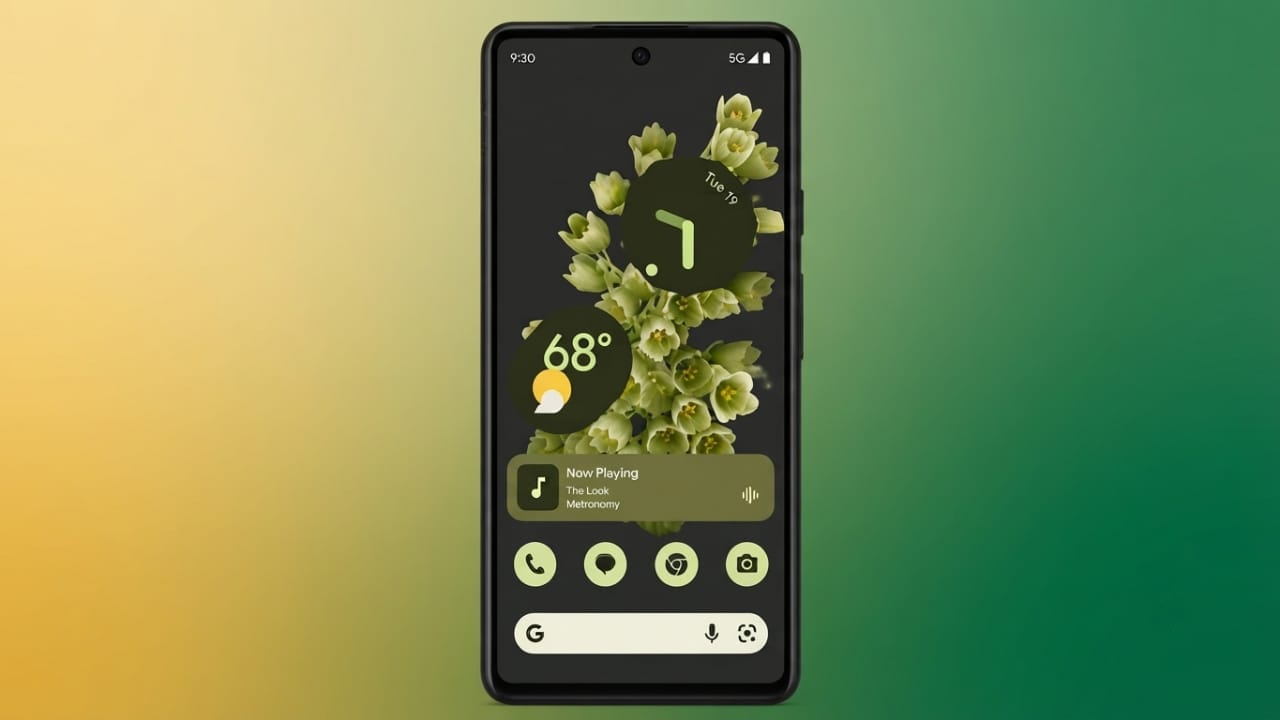
Google Pixel phones come with a handy feature called Now Playing that can recognize music playing around you. When it’s turned on, your phone automatically identifies nearby songs and shows the title on the lock screen. You don’t need to open a music app or search for the song yourself.
Advertisements
Another useful feature is that your phone keeps a history of recognized songs, making it easy to find tracks again later.
Also read: How to Set Up Bedtime Mode on Your Android Phone
Why Use Now Playing?
Now Playing offers a simple way to discover music without any extra effort. Some of its main benefits include:
- Automatically recognizes nearby songs.
- Displays song names on the lock screen.
- Saves a history of recognized tracks.
- Works offline on supported Pixel devices, helping protect your privacy.
How to Turn On Now Playing on Google Pixel 6
If the feature isn’t already enabled, follow these steps:
- Open the Settings app.
- Tap Sound & Vibration.
- Select Now Playing.
- Turn on Identify songs playing nearby.
- Wait a few moments for additional options to appear.
After enabling it, you can also choose to:
- Show recognized songs on the lock screen.
- Add the manual search button to identify songs that aren’t recognized automatically.
Once everything is set up, your Pixel will start identifying nearby music and keep a record of recognized songs for future reference.
Supported Pixel Devices
Now Playing is available on most Google Pixel phones. However, the original first-generation Pixel does not support this feature.
Main Features
Offline Music Recognition
One of the biggest advantages of Now Playing is that it works offline on supported Pixel devices. Music recognition happens directly on your phone, so audio isn’t sent to external servers during the normal recognition process.
Lock Screen Display
When a song is recognized, its title can appear directly on the lock screen. This lets you see what’s playing without unlocking your phone or opening another app.
Song History
Your Pixel stores previously recognized songs in a history list. You can review these tracks anytime and easily revisit music you’ve heard before.
Option for Other Android Phones
If you have an Android phone running Android 12 or later, you may be able to use Ambient Music Mod, a community-developed project that offers similar functionality on many devices.
It supports a range of brands, including OnePlus, Samsung, Xiaomi, and Honor. The project is open source, allowing anyone to review its code.
Basic Setup
To use Ambient Music Mod, you’ll generally need to:
- Install Shizuku from the Google Play Store.
- Install Ambient Music Mod from its official GitHub release.
- Enable Developer Options and the required debugging settings.
- Complete the setup process and grant the necessary permissions.
- Disable battery optimization for the app if recommended.
Depending on your device, you may also be able to adjust recognition settings and lock screen placement to improve the overall experience. Since this is a third-party project, compatibility and setup steps can vary by phone model.
Advertisements
Also read: True Phone Dialer and Contacts: Customize Your Call Screen with Your Favorite Photos
Final Thoughts
Now Playing is one of the most useful features available on Google Pixel phones. It automatically recognizes nearby music, works offline on supported devices, and keeps a convenient history of songs you’ve heard.
If you use a different Android phone, Ambient Music Mod may provide a similar experience on compatible devices. Whichever option you choose, automatic music recognition makes it much easier to discover and remember the songs you hear throughout the day.

Abhi Rajput, founder of EarnAbhi.in, is a tech lover with 6+ years of experience in SEO, digital tools, and smartphone troubleshooting. He writes simple, clear, and useful guides to help people solve real tech problems.