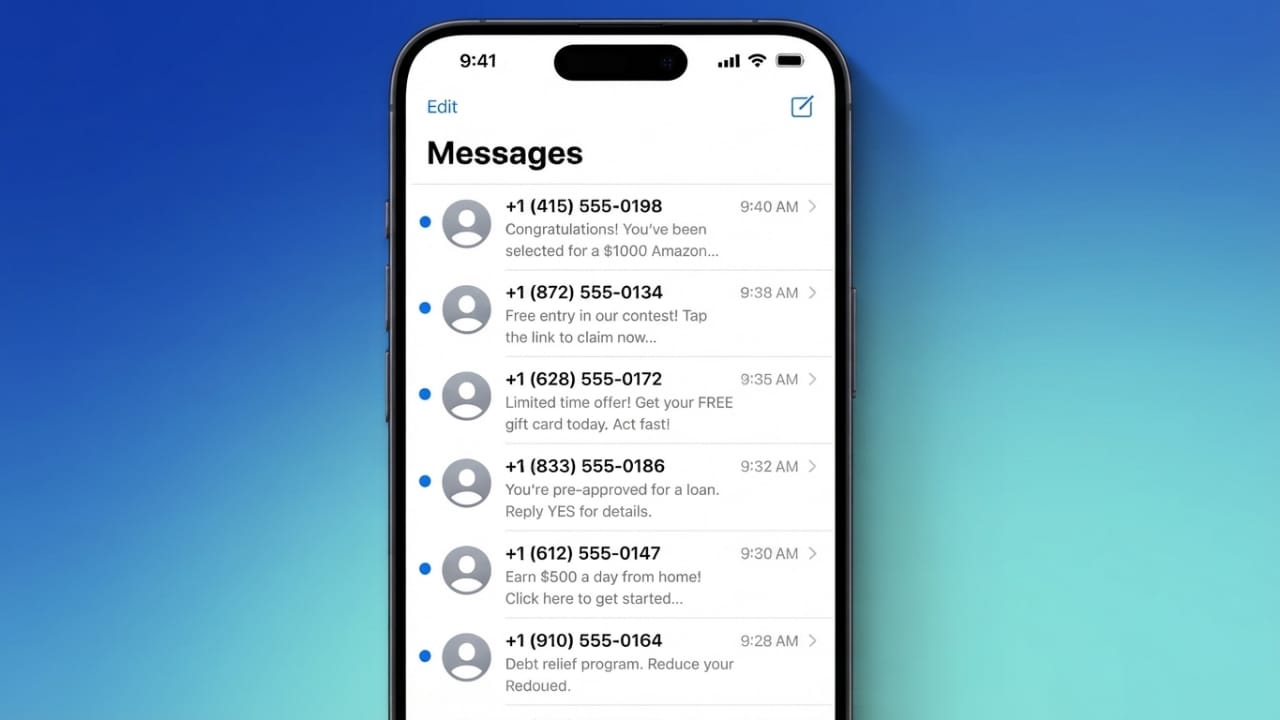
Spam text messages are more common than ever. They can appear to come from banks, delivery companies, shopping websites, or even government services. Their goal is usually to make you click a link, share personal information, or respond in a hurry.
Advertisements
The good news is that both iPhone and Android devices include useful tools to reduce unwanted messages. Along with a few safe habits, these features can help keep your inbox cleaner and your personal information more secure.
Also read: How to Upload Better Quality Photos on WhatsApp
Key Points
- Turn on your phone’s built-in spam protection.
- Avoid replying to suspicious messages or opening unknown links.
- Block and report spam whenever possible.
- Follow safe online practices to reduce future spam.
Why Do You Receive Spam Texts?
Your phone number may be shared through online sign-ups, shopping websites, marketing campaigns, or data leaks. Scammers often use automated systems that can send thousands of messages from different phone numbers.
Because these numbers change frequently, blocking one sender is not always enough. Using spam filters is usually a more effective way to reduce unwanted messages.
Stop Spam Texts on iPhone
Enable Filter Unknown Senders
iPhone includes a feature that separates messages from people who are not in your contacts.
- Open Settings.
- Tap Messages.
- Turn on Filter Unknown Senders.
Unknown messages will move to a separate section, making your main inbox easier to manage.
Block Unwanted Numbers
If a number keeps sending unwanted messages or calls:
- Open the Phone app.
- Go to Recents.
- Tap the information (i) button next to the number.
- Choose Block this Caller.
You can also block numbers through the Phone settings if needed.
Report Spam Messages
Reporting spam helps mobile carriers and device makers improve spam detection.
Many carriers allow you to forward spam messages to 7726 (SPAM). If your iPhone shows a Report Junk option in Messages, use it to report suspicious conversations.
Use Trusted Spam-Blocking Apps
If you want additional protection, you can install trusted apps that identify suspicious callers and messages.
Some popular options include:
- Truecaller
- Hiya
- RoboKiller
Keep these apps updated so they can recognize the latest spam patterns.
Check Carrier Spam Protection
Many mobile network providers offer built-in spam filtering. If your carrier supports this feature, enable it for another layer of protection.
Advertisements
Stop Spam Texts on Android
Turn On Spam Protection
Most Android phones using Google Messages include built-in spam detection.
- Open the Messages app.
- Tap your profile picture.
- Open Messages Settings.
- Select Spam Protection.
- Turn the feature on.
Your phone will automatically identify many suspicious messages.
Block and Report Spam
When you receive a spam message:
- Open the conversation.
- Tap the three-dot menu.
- Select Block and Report Spam.
This blocks the sender and helps improve spam detection for future messages.
You can also forward spam texts to 7726 (SPAM) if your mobile carrier supports it.
Use Keyword Filtering (If Available)
Some Android devices allow filtering based on specific words or phrases.
If your phone supports this feature:
- Open your SMS settings.
- Enable the spam filter.
- Add commonly used scam phrases.
Avoid blocking common words that could appear in legitimate messages.
Install a Trusted Spam Filter App
Additional spam-filtering apps can improve detection beyond the built-in features.
Popular choices include:
- Truecaller
- Hiya
These apps regularly update their databases to identify new spam campaigns.
Smart Habits That Reduce Spam
Technology helps, but your habits are just as important.
- Never reply to suspicious text messages.
- Do not click links from unknown senders.
- Avoid downloading unexpected attachments.
- Never share passwords, banking details, or verification codes through text messages.
- Be cautious of messages that create urgency or promise unrealistic rewards.
- Take screenshots of suspicious messages before deleting them if you may need to report them later.
- Block and report spam senders whenever possible.
Reduce the Chances of Future Spam
Although you cannot completely prevent spam, you can reduce it over time.
- Share your phone number only with trusted websites and services.
- Review privacy settings when creating online accounts.
- Be careful where you enter your phone number.
- Consider privacy services that help remove personal information from data broker databases if you want additional privacy.
What to Do If You Opened a Suspicious Link
If you accidentally tapped a suspicious link:
- Close the webpage immediately.
- Do not enter any personal or financial information.
- Remove any unfamiliar apps that may have been installed.
- Change passwords for important accounts, especially email and banking.
- Run a security scan on your device.
- Monitor your accounts for any unusual activity.
Acting quickly can reduce the risk if the message was part of a scam.
Also read: How to Change the Font Size on Android
Final Thoughts
Spam text messages are unlikely to disappear completely, but they can be greatly reduced. Enabling your phone’s spam filters, blocking and reporting suspicious messages, and following safe online practices will help keep your inbox cleaner and your personal information better protected.
A few simple precautions today can save you from unwanted messages and potential scams in the future.

Abhi Rajput, founder of EarnAbhi.in, is a tech lover with 6+ years of experience in SEO, digital tools, and smartphone troubleshooting. He writes simple, clear, and useful guides to help people solve real tech problems.