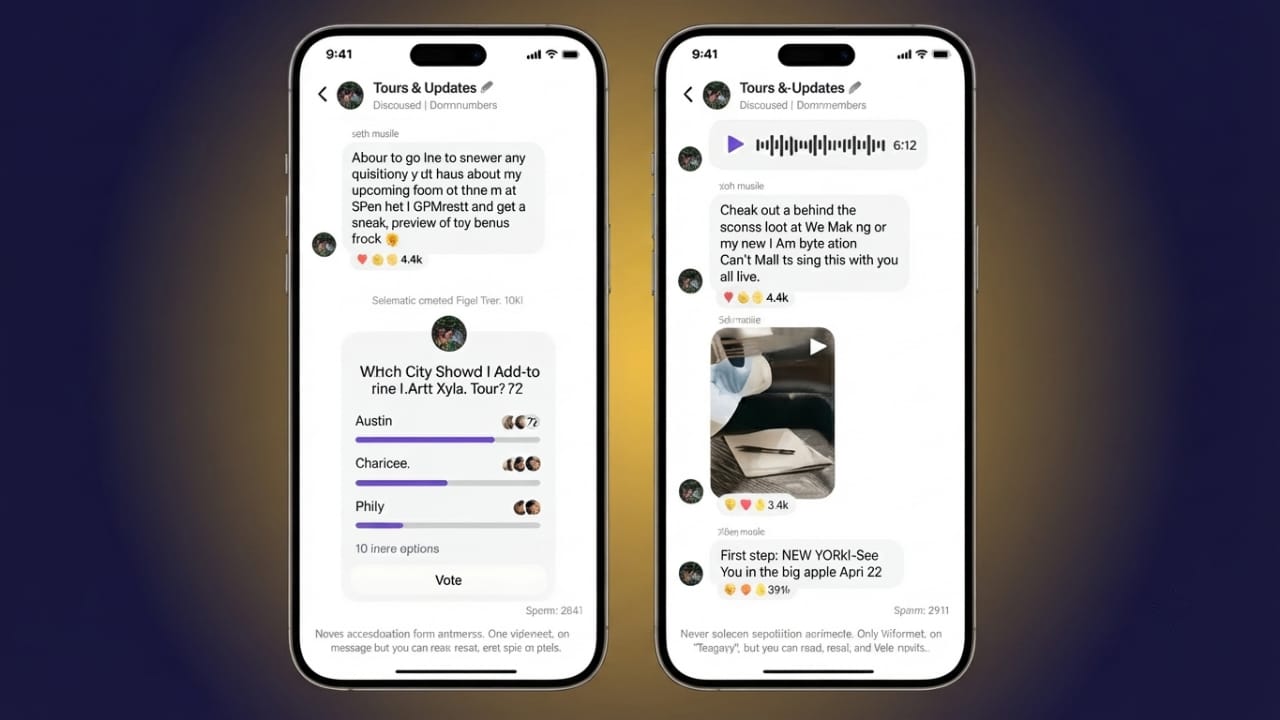
Instagram Broadcast Channels make it easier for creators to stay connected with their audience. Instead of relying only on Stories or feed posts, creators can send updates directly to followers who join the channel. This helps important announcements reach people more consistently.
Advertisements
Whether you want to share news, product updates, or behind-the-scenes content, Broadcast Channels provide a simple way to communicate with your community.
Also read: How to Stop Your iPhone Screen from Dimming Automatically
Key Highlights
- Share updates directly with your followers.
- Only the channel owner can post messages.
- Use polls, voice notes, photos, videos, GIFs, and links.
- Build stronger engagement without depending on the Instagram feed algorithm.
What Is an Instagram Broadcast Channel?
An Instagram Broadcast Channel is a one-way messaging feature designed for creators. After creating a channel, followers can join it to receive updates directly in their Instagram inbox.
Unlike group chats, followers cannot send messages in the channel. However, they can react with emojis and participate in polls, making it easy for creators to understand their audience’s interests.
Creators can post different types of content, including:
- Text messages
- Photos
- Videos
- Voice notes
- GIFs
- Links
- Polls
This makes Broadcast Channels useful for sharing announcements, exclusive updates, event reminders, product launches, and behind-the-scenes moments.
Main Features
Some of the most useful features include:
- One-way communication from the creator.
- Support for text, photos, videos, voice notes, GIFs, and links.
- Polls to collect audience feedback.
- Updates delivered directly to subscribers.
- Messages remain available until the creator removes them.
Who Can Create a Broadcast Channel?
Before creating a Broadcast Channel, make sure your account meets Instagram’s eligibility requirements.
Generally, you should:
- Have a public Creator account.
- Follow Instagram’s Community Guidelines.
- Be eligible for the feature in your region.
Instagram releases new features gradually, so availability may vary from one account to another.
Steps to Create an Instagram Broadcast Channel
Follow these simple steps:
- Open the Instagram app.
- Tap the Inbox icon.
- Select the Compose (new message) icon.
- Choose Create Broadcast Channel.
- Enter a name for your channel.
- Select your audience settings.
- Choose the channel duration if the option is available.
- Review the visibility settings.
- Tap Create Broadcast Channel.
Your channel is now ready to use.
How to Invite Followers
After creating the channel, send your first message so followers receive a notification.
You can also invite people by:
Advertisements
- Sharing the channel invite link.
- Adding the channel to your Instagram Story.
- Sharing channel messages in Stories.
- Placing the invite link in your bio.
- Including the link in Reels or Direct Messages.
These methods can help more followers discover and join your Broadcast Channel.
Benefits of Using a Broadcast Channel
Broadcast Channels offer several advantages for creators.
- Share updates instantly with your audience.
- Keep followers informed about new content or announcements.
- Gather opinions through interactive polls.
- Create a more personal connection with voice notes.
- Build a loyal community through regular communication.
Because followers choose to join the channel, they’re more likely to stay engaged with your updates.
How to Leave a Broadcast Channel
If you’ve joined a Broadcast Channel and no longer want to receive updates, you can leave it at any time.
Follow these steps:
- Open the Broadcast Channel.
- Tap the channel name at the top.
- Tap the three-dot menu.
- Select Leave.
- Confirm your choice.
After leaving, you will stop receiving messages from that channel.
Also read: How to Create and Remove Multiple WhatsApp Accounts on iPhone
Final Thoughts
Instagram Broadcast Channels provide a convenient way for creators to communicate directly with their audience. With support for text, media, voice notes, links, and polls, the feature helps keep followers informed while encouraging better engagement. If your account has access to Broadcast Channels, it’s worth exploring this feature to build stronger connections with your community.

Abhi Rajput, founder of EarnAbhi.in, is a tech lover with 6+ years of experience in SEO, digital tools, and smartphone troubleshooting. He writes simple, clear, and useful guides to help people solve real tech problems.