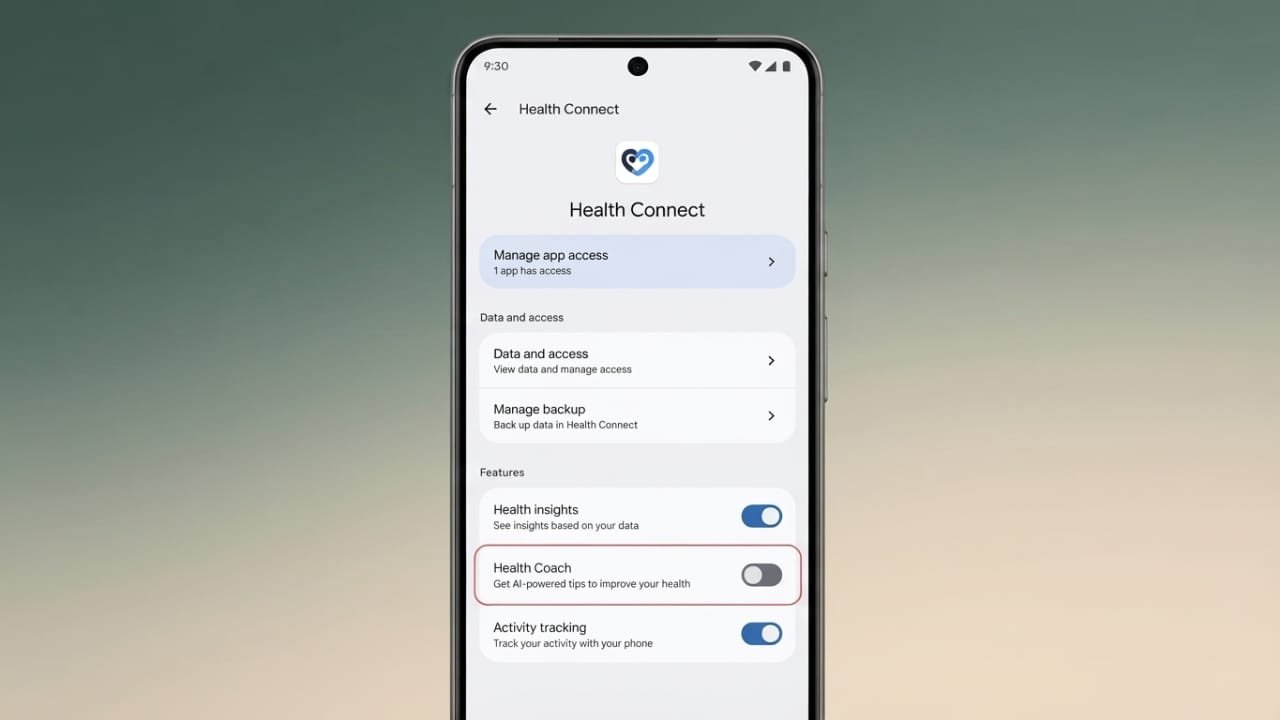
Google Health Coach offers AI-powered health insights, daily suggestions, and workout recommendations. While some people find these features useful, others prefer a simpler experience with fewer notifications. If you no longer want to use Google Health Coach, you can turn it off at any time without losing your health records.
Advertisements
Also read: How to Add a Link to Your Instagram Story: A Simple Step-by-Step Guide
Key Points
- You can disable Google Health Coach whenever you want.
- Turning it off does not delete your saved health data.
- You can enable the feature again later if you change your mind.
Why Some Users Disable Google Health Coach
The newer Google Health app introduced Google Health Coach as part of its premium features. It provides personalized guidance based on your health information, including sleep summaries, activity insights, recovery updates, and workout suggestions.
Some users appreciate these AI-generated recommendations because they offer daily motivation and health tips. However, not everyone wants AI-based guidance.
Common reasons people choose to disable the feature include:
- Too many notifications.
- Preference for simple health tracking.
- AI suggestions that may not always match personal goals.
- Desire for a cleaner app interface.
Since everyone’s fitness journey is different, some users simply prefer viewing their health data without additional recommendations.
What Happens After You Turn It Off?
Disabling Google Health Coach only stops the AI-powered guidance. Your existing health information remains safe and accessible.
After turning it off:
- Personalized health suggestions stop.
- Workout recommendations no longer appear.
- Sleep and recovery summaries are disabled.
- Coach notifications stop arriving.
- Your previously saved health records remain unchanged.
Your fitness history and other stored health data are not deleted.
Steps to Disable Google Health Coach
You can turn off the feature through the app’s privacy settings by following these steps:
- Open the Google Health app.
- Tap your profile picture or initials.
- Select Your data in Google Health.
- Open Manage feature privacy controls.
- Choose Google Health Coach.
- Tap the Turn Off button.
Once completed, the AI Coach will stop providing new recommendations and summaries.
How to Enable Google Health Coach Again
If you decide to use the feature in the future, you can turn it back on easily.
- Open the Google Health app.
- Tap the Ask Coach option.
- Follow the on-screen instructions.
- Allow the required permissions if prompted.
If you are not ready to enable it, simply select Not Now. You can return and activate the feature whenever you like.
Should You Keep Your Premium Subscription?
If Google Health Coach was the main reason for your premium plan, you may want to review whether the subscription still meets your needs.
Users with broader Google AI subscriptions may continue receiving other benefits, such as additional cloud storage and AI-powered features, even if Health Coach is turned off.
Advertisements
Also read: How to Stop Spam Text Messages on iPhone and Android
Final Thoughts
Google Health Coach is an optional feature designed to provide AI-based health guidance. If you prefer a simpler experience, you can disable it in just a few steps. Your health records stay protected, and you can switch the feature back on whenever you want. This gives you full control over how you use the Google Health app while keeping your personal data intact.

Abhi Rajput, founder of EarnAbhi.in, is a tech lover with 6+ years of experience in SEO, digital tools, and smartphone troubleshooting. He writes simple, clear, and useful guides to help people solve real tech problems.