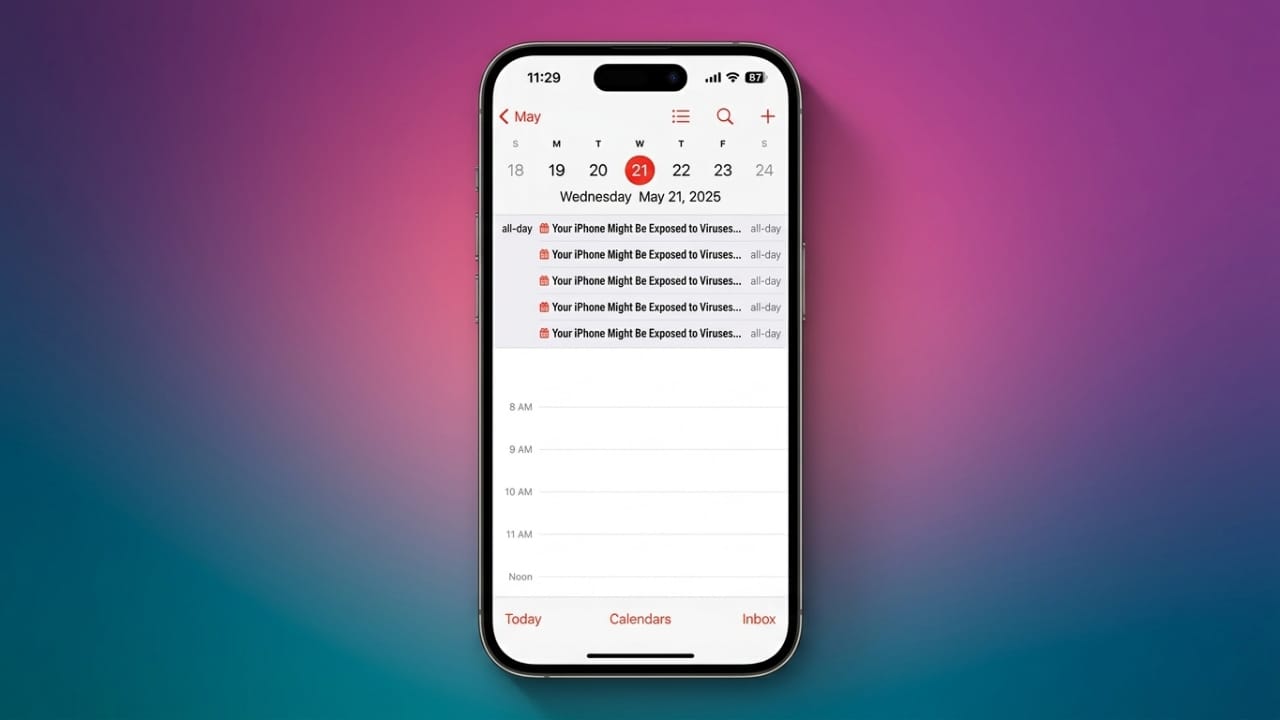
Seeing random events or meeting invites appear in your iPhone Calendar can be frustrating. Many people mistake these alerts for a virus, but in most cases, they are caused by unwanted calendar subscriptions or spam invitations.
The good news is that you can remove these fake events in just a few minutes and take a few simple steps to prevent them from coming back.
Advertisements
Also read: How to Set Any Song as Your iPhone Alarm Sound
Key Points
- Protect your personal information by avoiding suspicious calendar invites.
- Never open unknown links, attachments, or meeting invitations.
- Remove fake calendar subscriptions from your device.
- Update your settings to reduce future calendar spam.
Why Fake Calendar Events Appear on iPhone
Most calendar spam is not caused by malware. Instead, it happens when your iPhone is subscribed to an unwanted calendar without you realizing it.
Once subscribed, the calendar can automatically add fake events every day. Even if you delete individual events, they may reappear until the subscription is removed.
Some spam events may:
- Ask you to call unknown phone numbers.
- Invite you to fake online meetings.
- Advertise fake products or services.
- Try to collect personal or financial information.
- Encourage you to install unknown software.
These invitations often arrive through phishing emails, text messages, or shared calendar files. Some scammers also use fake parcel delivery notifications or security alerts to trick users.
Stay Safe from Calendar Scams
If you receive a suspicious calendar invitation:
- Do not tap unknown links.
- Avoid downloading attachments or calendar files from untrusted sources.
- Never reply to suspicious invitations.
- Delete the invite instead of interacting with it.
If the spam came through the Messages app, delete the conversation. If your iPhone displays the Report Junk option, use it to help reduce unwanted messages.
How to Delete a Fake Calendar on iPhone
If you notice events from an unknown calendar, remove the calendar itself.
Follow these steps:
- Open the Calendar app.
- Tap Calendars at the bottom.
- Find any calendar you don’t recognize.
- Tap the Info (i) button.
- Scroll to the bottom.
- Tap Delete Calendar.
- Repeat the process for any other suspicious calendars.
Remove Unwanted Calendar Subscriptions
Sometimes the problem continues because your iPhone is still subscribed to a spam calendar.
To remove the subscription:
- Open Settings.
- Tap Calendar.
- Select Accounts.
- Open Subscribed Calendars.
- Choose the unknown subscription.
- Tap Delete Account.
After removing the subscription, the fake events should stop appearing.
Check Your Other Apple Devices
If you use the same Apple account on multiple devices, calendar changes may sync automatically.
Review your:
- iPad
- Mac
- Other Apple devices
Remove any unknown calendars from each device.
On a Mac, you can also review which apps have permission to access your calendar. Remove access for apps you don’t recognize and keep permissions limited to trusted applications.
How to Prevent Calendar Spam in the Future
A few simple habits can greatly reduce unwanted calendar invitations.
- Accept calendar invites only from people you know.
- Verify unexpected invitations before opening them.
- Delete suspicious emails or messages instead of responding.
- Block senders that repeatedly send spam.
- Review shared calendar permissions and allow access only to trusted people.
- Keep your iPhone and apps updated with the latest security updates.
- Enable multi-factor authentication on important accounts for added protection.
- If you receive messages about payments, prizes, or urgent account problems, confirm the information directly through the company’s official website instead of using links in the invitation.
Also read: How to Enable Cookies on iPhone in Safari and Chrome
Final Thoughts
Fake calendar invitations are usually caused by unwanted calendar subscriptions rather than a virus. Removing suspicious calendars and subscriptions, avoiding unknown links, and being cautious with unexpected invitations can help keep your iPhone Calendar clean and secure.
By following these simple steps, you can reduce calendar spam and better protect your personal information from online scams.

Abhi Rajput, founder of EarnAbhi.in, is a tech lover with 6+ years of experience in SEO, digital tools, and smartphone troubleshooting. He writes simple, clear, and useful guides to help people solve real tech problems.