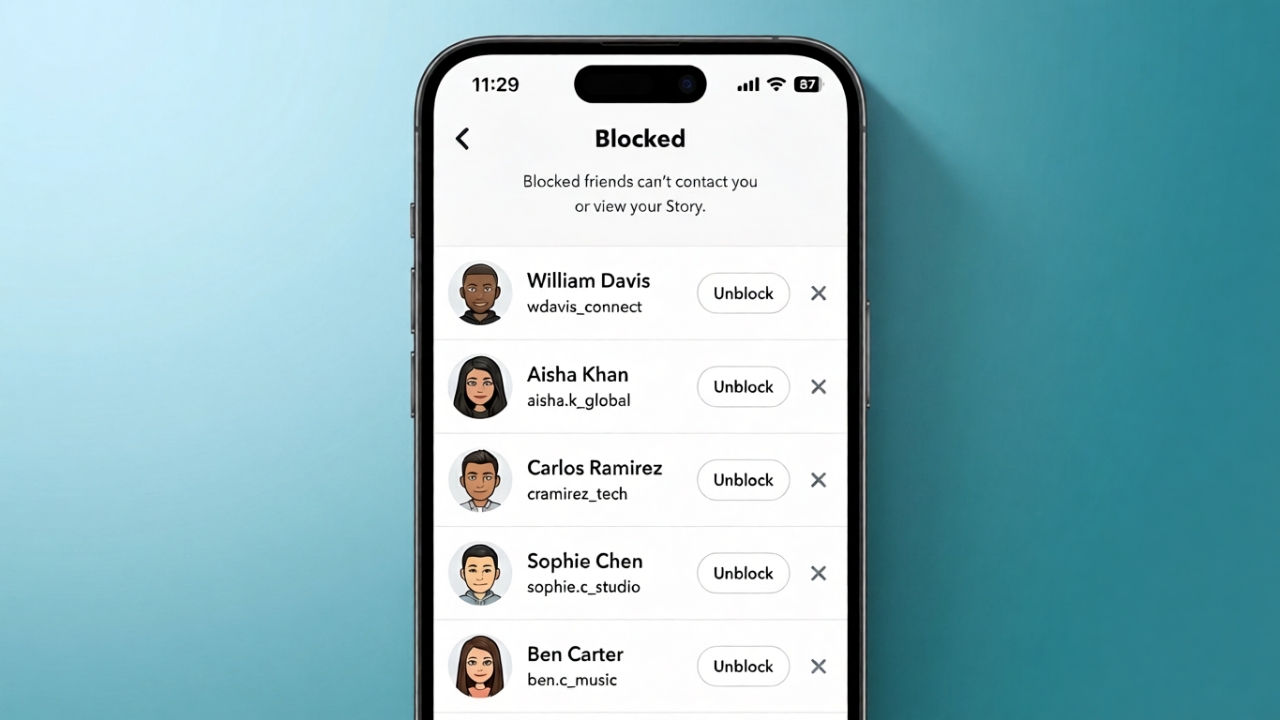
If someone on Snapchat is bothering you or making you feel uncomfortable, blocking them is one of the easiest ways to protect your privacy. It stops direct communication and helps you enjoy the app without unwanted interruptions.
The process is quick, and you can unblock the person later if you change your mind.
Advertisements
Also read: How to Fix Yahoo Mail Login Problems (Complete Guide)
Quick Highlights
- Blocking stops Snaps and private chats from that person.
- Snapchat does not notify users when they are blocked.
- You can unblock someone at any time.
- Blocking helps you manage your privacy and personal space.
How to Block Someone on Snapchat
Snapchat offers more than one way to block a user. Both methods are simple and take only a few seconds.
Method 1: From the Chat Screen
- Open Snapchat and swipe right to go to the Chat screen.
- Find the person’s name in your conversations.
- Tap and hold their name.
- Select Manage Friendship.
- Tap Block and confirm your choice.
Method 2: From the User’s Profile
- Open your chat with the person.
- Tap their profile picture or Bitmoji at the top.
- Select the three-dot menu.
- Choose Manage Friendship.
- Tap Block to complete the process.
Depending on your Snapchat version, the menu layout may look slightly different, but the blocking option is available in a similar place.
What Happens After You Block Someone?
Once you block a user, several changes take effect immediately.
- They can no longer send you Snaps or private messages.
- They cannot view your private Stories.
- Your location on Snap Map is hidden from them.
- Both of you are removed from each other’s friends list.
- They will not be able to search for or contact your account directly.
Snapchat does not send a notification when someone is blocked. However, the person may eventually notice that they can no longer find your profile or interact with your account.
Can Blocked Users Still See Public Content?
Blocking mainly affects private interactions. If your content is set to public, some posts, such as Public Stories or Spotlight content, may still be visible according to your privacy settings.
If you want to limit visibility further, review your Snapchat privacy settings and choose who can view your content.
What About Group Chats?
Blocking someone does not automatically remove either of you from existing group conversations.
If you both remain in the same group:
- You may still see each other’s messages within that group.
- Private chats and direct communication remain blocked.
If you no longer want to share a group with that person, you can leave the group whenever you choose.
Blocking vs. Removing a Friend
These two options work differently.
Removing a Friend
- Removes the person from your friends list.
- They may still be able to interact with your public content, depending on your privacy settings.
Blocking
- Stops almost all direct interaction.
- Prevents private messages, Snaps, and friend requests from that account.
Choose the option that best matches your privacy needs.
What Happens to Old Chats?
After blocking someone, the conversation usually disappears from your chat list.
If some messages were saved before the block, they may still exist in the chat history. If you later unblock the person, previous conversations and saved messages can become visible again.
How Can You Tell If Someone Blocked You?
Snapchat does not officially inform users when they have been blocked.
Some possible signs include:
- You can no longer find the person’s username.
- Your messages no longer go through.
- Their Stories are no longer visible.
Keep in mind that these signs are not always proof of being blocked. Similar changes can happen if someone deletes their account or changes their privacy settings.
Also read: How to Add Music to Snapchat: A Simple Guide to Songs, Custom Sounds, and More
Final Thoughts
Blocking someone on Snapchat is a simple way to maintain your privacy and reduce unwanted contact. Whether you’re avoiding spam, limiting unwanted messages, or creating a more comfortable online experience, the feature gives you greater control over who can interact with you.
If your situation changes in the future, you can always unblock the person through your Snapchat settings.

Abhi Rajput, founder of EarnAbhi.in, is a tech lover with 6+ years of experience in SEO, digital tools, and smartphone troubleshooting. He writes simple, clear, and useful guides to help people solve real tech problems.