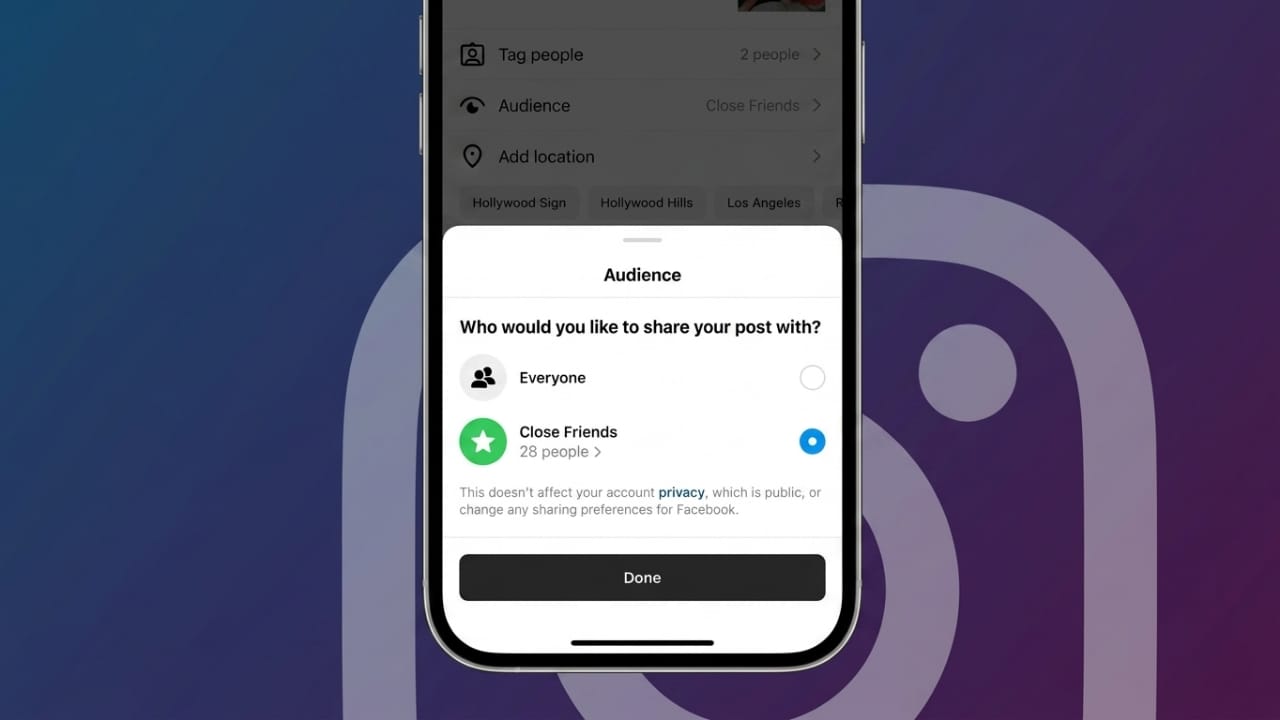
Instagram’s Close Friends feature is useful when you want to share personal content with only a small group of trusted people. Instead of posting updates for everyone, you can choose specific followers who can view private stories, notes, reels, or posts.
Advertisements
This feature is great for keeping personal updates limited to close friends or family while still staying active on Instagram.
Also read: How to Change Apple Watch Faces: Complete Guide
What Is Instagram Close Friends?
Close Friends is a privacy feature that allows users to create a private list of selected followers. Only people on this list can see content shared specifically with them.
It helps users manage who can access personal updates without changing account settings or making their profile private.
How to Create a Close Friends List on Instagram
Follow these steps to set it up:
- Open Instagram on your phone.
- Tap your profile icon in the bottom-right corner.
- Tap the menu icon in the top-right corner.
- Open Settings and Privacy.
- Scroll down and select Close Friends.
- Instagram will show your follower list.
- Tap Add or select people you trust.
- Use the search bar if you want to find someone quickly.
- Tap Done to save changes.
You can update this list anytime by adding or removing people.
Things to Know Before Using Close Friends
- People are not notified when you add or remove them.
- Close Friends stories often appear with a green ring around your profile picture.
- Notes shared with this list may show a Close Friends label.
- Private sharing works with stories, reels, and some other supported content.
- People in the list may still interact with or reply to shared content.
Why Use the Close Friends Feature?
Better Privacy
You can keep personal updates away from unknown followers and share only with trusted people.
More Control
It gives you better control over your audience without affecting your public profile activity.
Stronger Connections
Smaller groups often lead to more genuine conversations and better engagement.
Comfortable Sharing
Users may feel more confident sharing personal thoughts, moments, or updates with a trusted circle.
Also read: Apple May Relaunch Siri With Privacy-Focused AI Features at WWDC
Benefits of Using Close Friends
- Improved privacy for personal content
- Easier audience control
- More meaningful interactions
- Better sharing experience with trusted people
- A safer way to post personal updates
Managing Your Close Friends List Effectively
To keep your list useful and relevant:
- Review members regularly.
- Add only people you trust.
- Remove inactive or unwanted followers when needed.
- Respect privacy when sharing personal content.
- Keep your group updated based on relationships or comfort level.
A well-managed list helps create a more secure and personal sharing experience.
Also read: Google Expands Gemini AI With New 3.5 Models and Omni Video Technology at I/O 2026
Advertisements
Final Thoughts
Instagram’s Close Friends feature is a simple way to share content privately with selected people. It offers better privacy, stronger audience control, and a more personal way to connect with trusted followers.
If you want a safer and more private sharing space on Instagram, this feature can be a practical option.

Abhi Rajput, founder of EarnAbhi.in, is a tech lover with 6+ years of experience in SEO, digital tools, and smartphone troubleshooting. He writes simple, clear, and useful guides to help people solve real tech problems.